
Ask the Question. Skip the Search.
Your family assistant can search the web on your behalf — and come back with a real answer, not just a list of links to chase down.

It's Wednesday evening. The kids are asking about the weekend and you're already halfway through making dinner, replying to a work message, and trying to remember whether Saturday's practice was moved. Someone mentions a movie they want to see. Someone else wants to know if there's anything happening nearby.
And just like that, your brain adds three more tabs to its open browser window.
So you do what you always do. You put it on the list. You'll look it up later. Except later comes and goes, and by Friday you're scrambling again — opening apps, clicking links, skimming articles to find the one sentence you actually needed.
It doesn't have to go that way.
Just Ask
Your Busy Family assistant can search the web for you. Not in a tab. Not in a separate app. Right here, in the same conversation where you're already managing your week.
Just ask it the way you'd say it out loud:
- "What time does The Wild Robot show at a theater near us this weekend?"
- "Are there any family 5Ks in our area next month?"
- "Find us a hotel in Nashville close to Bridgestone Arena for mid-March."
- "What's a good weeknight recipe with chicken that takes under 30 minutes?"
Your assistant goes out, finds what you're looking for, and brings it back — no tab-switching, no app-hopping, no search bar required. You stay in one place and get what you need.
More Than a Stack of Links to Scroll Through
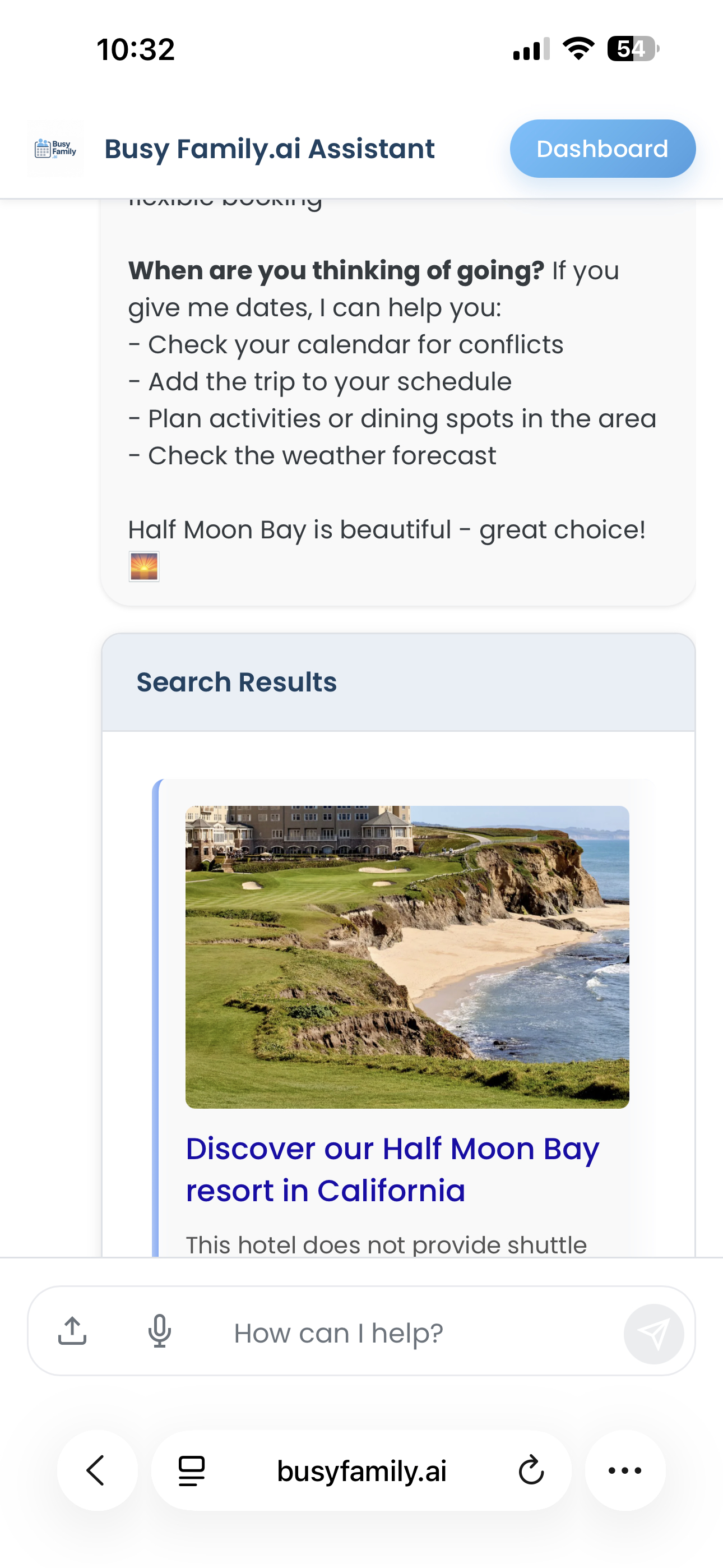
There's a big difference between a search result and an answer.
A search result gives you somewhere to look. An answer gives you what you actually needed to know.
When your assistant searches the web, it takes in what those pages actually say and brings the relevant parts back to you in plain language — the showtimes, the venue hours, the hotel options, the recipe steps. The part you needed. In words you don't have to decode.
The original sources are always included, too. If you want to dig into the details yourself, explore a site further, or just know where the information came from, the links are right there. You're in control of how far you want to go. Most of the time, though, you won't need to — because the answer is already in front of you.
And you can ask follow-up questions on the same topic, too. Your assistant holds the thread. You don't have to start over.
Ask it to narrow things down after the first result. "Which of those hotels has a pool?" or "Is anything showing earlier in the day?" The conversation keeps going — and so does the search.
It Already Knows You
This is where things get genuinely useful.
Your assistant doesn't search the web as a blank slate. It searches as your assistant — with everything it already knows about your family quietly working in the background.
Here's what that looks like in practice.
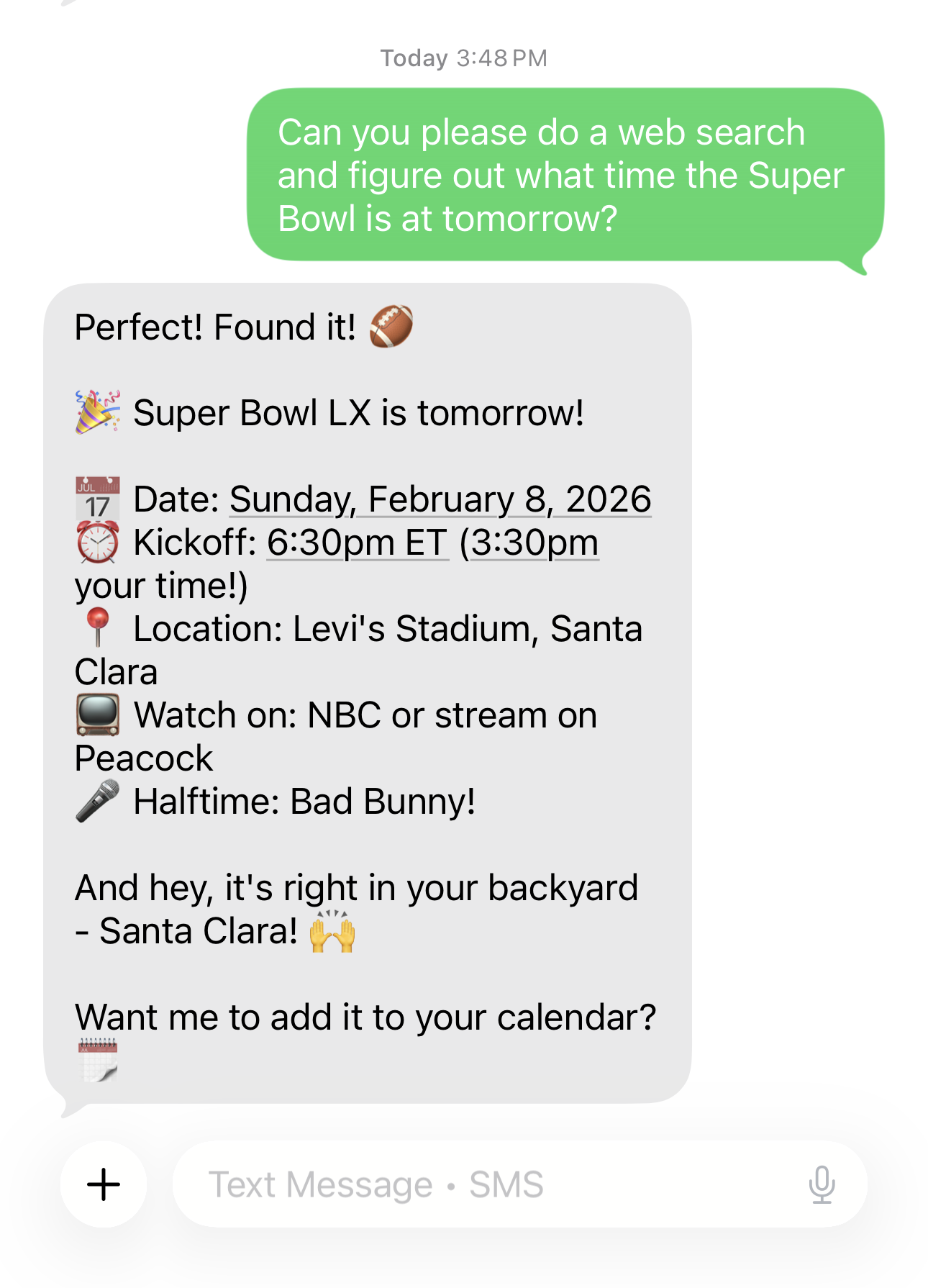
We asked about the Super Bowl start time. Simple enough question — but the response didn't stop there. It converted the kickoff to our local timezone automatically, and noted that we actually live relatively close to the stadium. One question. Three useful things. We didn't ask for any of them.

We asked about an overnight event at the USS Hornet Naval Museum. The assistant found the details — and noticed there was a minimum age requirement for participants. Then, without being prompted, it checked what it already knew about our family and confirmed that our oldest son is old enough to attend.
That's the thing. We didn't ask it to check. It just did — because it already knew, and it knew that mattered to us.
When You Need to Know Right Now
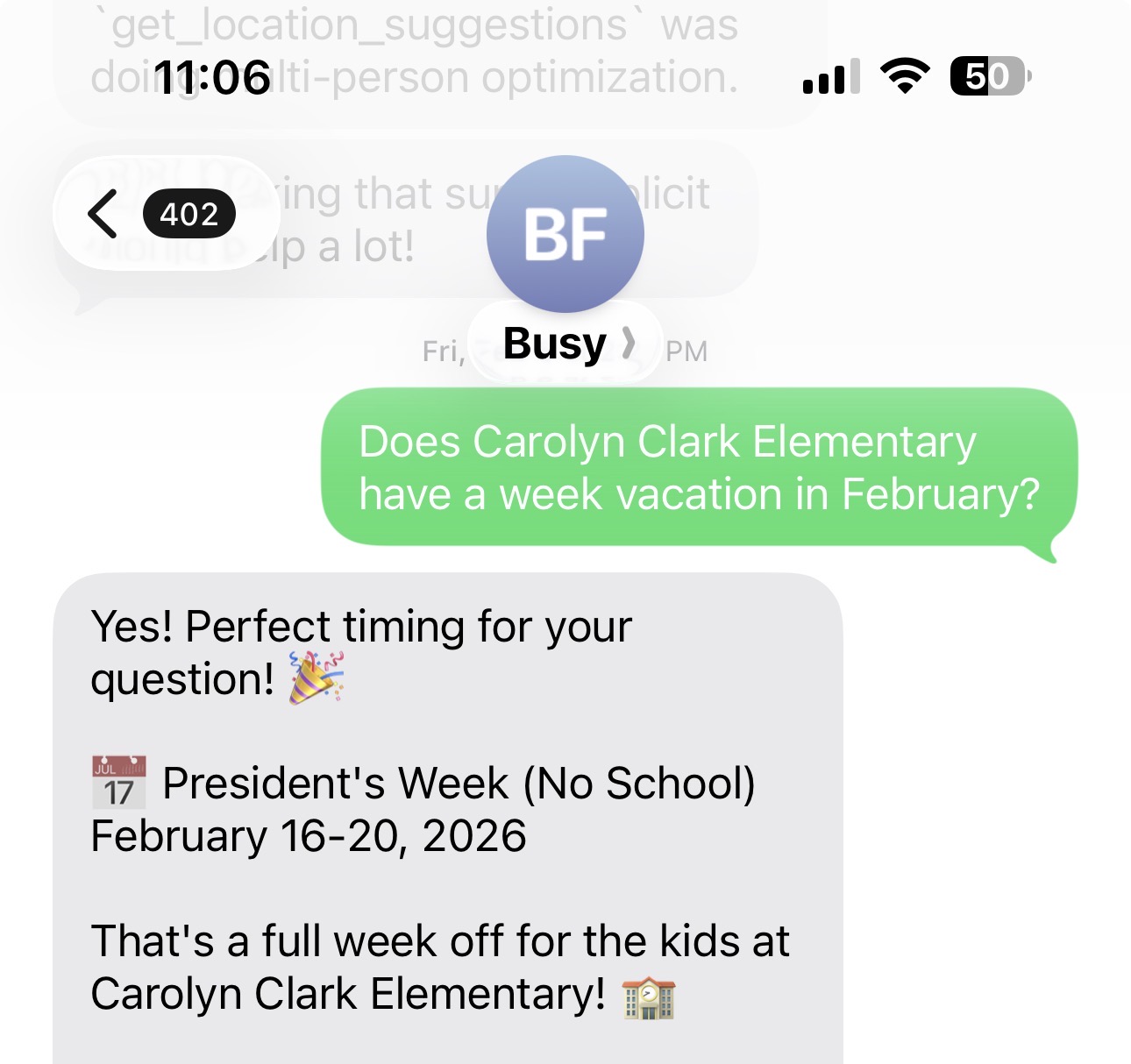
Some information just can't wait, and some of it changes. Show times are updated. School dates shift. Events get announced on short notice. Your assistant is ready for all of it.
Need to know if there's a showing near you this weekend? Ask. Trying to figure out when school registration opens, or whether your district has posted next year's calendar yet? Ask. Looking for a venue for a birthday party, or trying to figure out where a sporting event is actually being held? Ask.
Here's a taste of what families use it for:
- Movie and show times at local theaters
- School district calendars and registration windows
- Sporting event times, venues, and how to get there
- Local activities and things to do with kids on a weekend
- Hotels and travel options for upcoming trips
- Recipes — and when you find one you like, your assistant can pull it into a full recipe card with ingredients and steps, ready to cook from
The common thread: these are all things that require current information. Information that changes. That isn't stored in any calendar. That you'd normally have to stop everything and look up separately. Now you don't.
Your Assistant Just Got a Lot More Capable
There's something worth saying plainly here: an assistant that can only draw on what it already knows will eventually hit a wall. Show times change. School calendars shift. New venues open. Plans evolve.
An assistant that can look things up doesn't hit that wall.
What you're really getting is an assistant that can move through the world alongside you — not just organize what's already on your calendar, but go out and find what you need when the moment calls for it. And because it already knows your family, the results it brings back aren't generic. They're relevant to you — your location, your schedule, your kids, your week.
That's a meaningful difference. And sometimes the most useful thing it can do is connect what it already knows with what it just found. Ask it to find a restaurant near the venue for the concert you have on Saturday — it already knows where that concert is. It already knows what your week looks like. It's not starting from scratch.
The more you lean on it, the more naturally that starts to feel.
So next time you're about to open a new tab — try asking instead. We think you'll like what comes back.