
Picture This
How uploading photos to Busy Family saves you time, reduces typing, and gets more done.
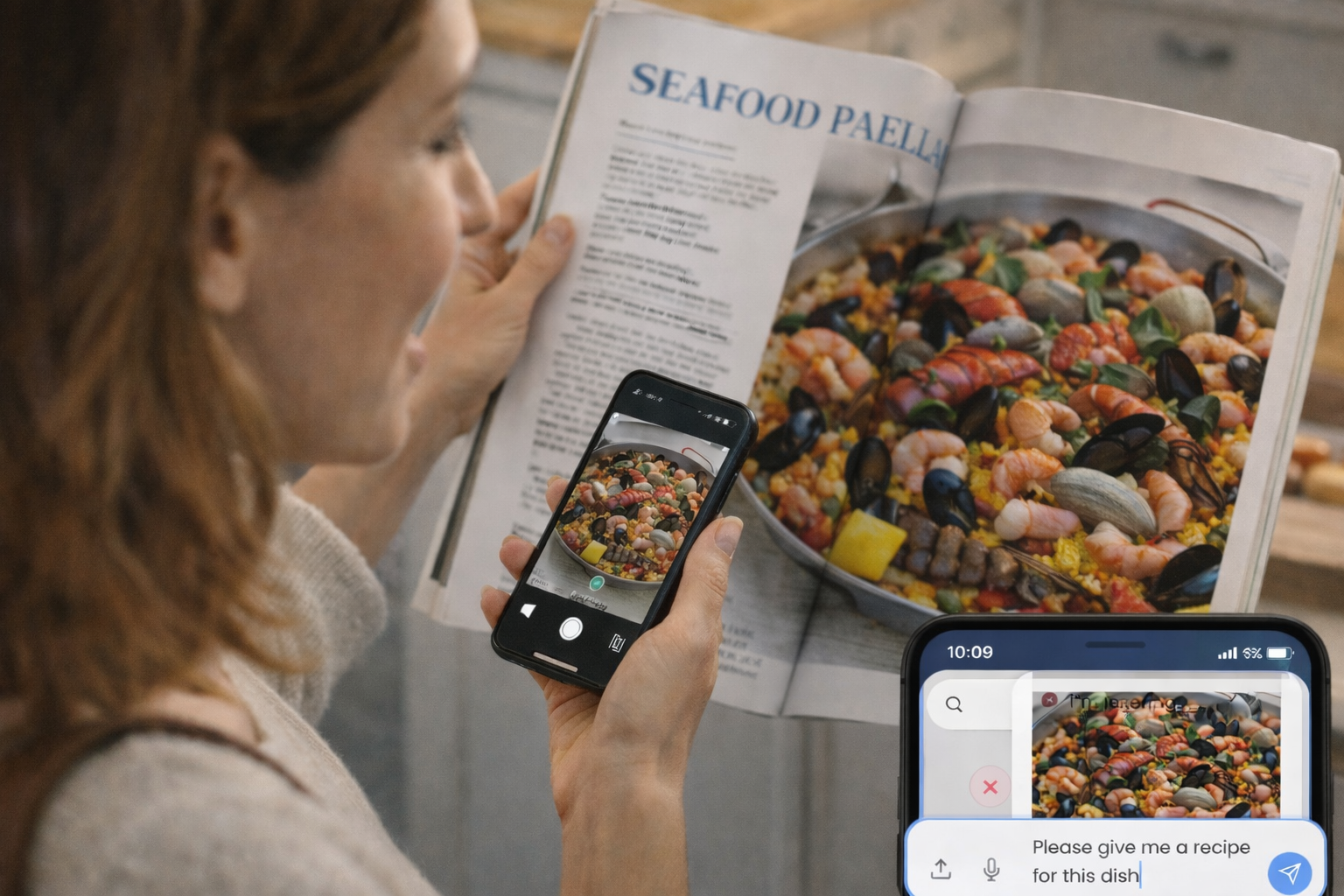
We all get them: the Evite for the birthday party, the flyer for the school play, the screenshot of a friend's calendar. You want that event on your calendar—or you want to find a time that works for both of you—but getting there usually means typing. Date, time, location, maybe a note. It's small, but it adds up. What if you could just show Busy Family the image instead?
We get it. That's why we added it. You can now upload photos and let your assistant do the rest. Less typing, more doing.
1. Never Type an Invite Again
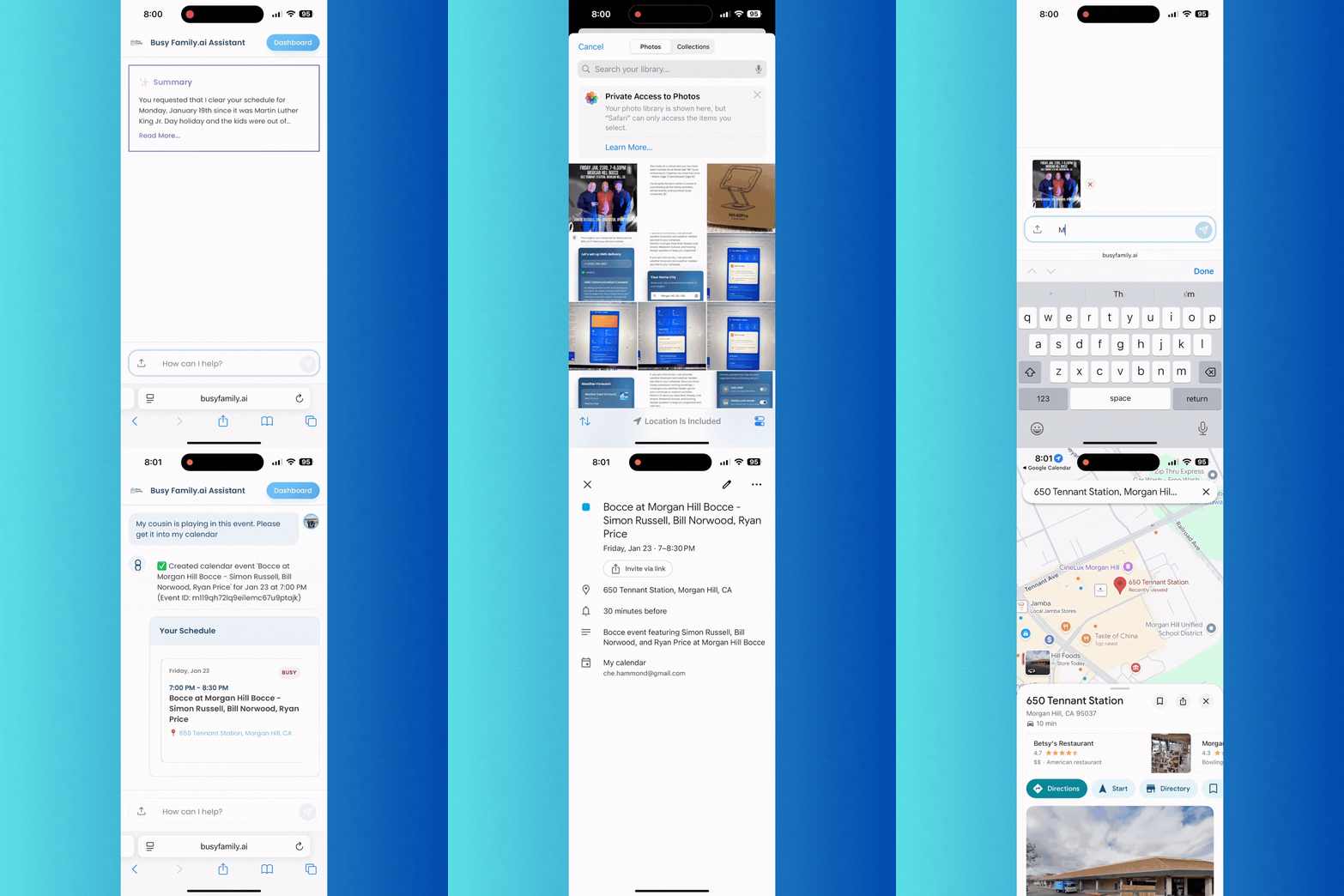
We've all been there—staring at an invite, squinting at the time, thumb-pecking it into our calendar. No more.
When you receive an Evite, a party flyer, or a screenshot of an event announcement, just upload the image and ask Busy Family to add it to your calendar. Your assistant reads the date, time, and location from the photo and adds the event. One tap to upload, one sentence to ask—done.
It works with screenshots from email, iMessage, Evite, or any website. If you can see the details on your screen, Busy Family can read them. And if someone sends you a flyer with multiple dates—like a sports season schedule or a list of showtimes—you can upload that too. Busy Family can pull out all the events and add them in one go.
Works with screenshots from email, iMessage, Evite, websites—if you can see it, Busy Family can read it.
2. Coordinate Schedules Without the Back-and-Forth
Finding a time that works for everyone is its own kind of chore. "Does Tuesday work?" "Maybe, let me check..." "What about Wednesday afternoon?" It can go on for days.
Here's a better way. When a friend or colleague shares a screenshot of their calendar to show when they're free, upload that image to Busy Family. Ask something like "When am I free when they're free?" or "Find us a time that works for both of us." Busy Family looks at their open slots, compares them to your real calendar, and tells you when you're both available. No more guessing. No more back-and-forth.
Your privacy—and theirs—matters to us. When we read a calendar image, we only look at when someone is free or busy. We don't read or store the names or details of their events. You get the coordination help without anyone's private schedule being exposed.
3. Discover Recipes From Any Photo
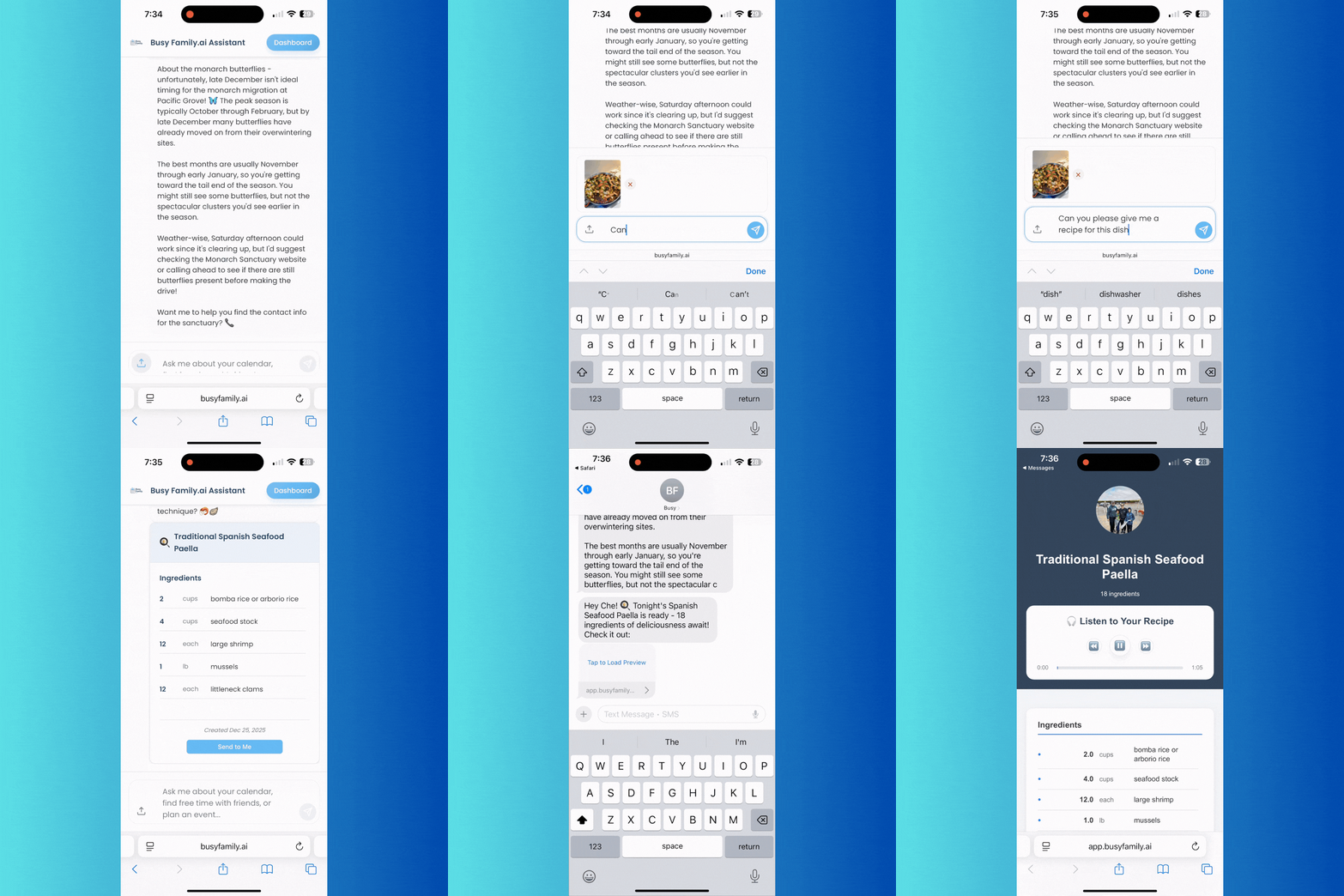
You're at a restaurant and you love the dish. You have no idea what it's called or how to make it. Or you're scrolling Instagram or Pinterest and see something you have to try—but there's no recipe in the caption.
Now you can just show us the photo. Upload a picture of the dish and ask Busy Family for a recipe. You'll get ingredients and steps you can cook from, without having to name the dish or hunt for a link. It works for that mystery restaurant plate, that gorgeous social-media find, or that dessert you saw at a potluck. You don't need to know what it's called. Just show us the photo.
Works even for dishes you can't name—international cuisine, fusion dishes, desserts.
4. Images Are a New Language
A single photo can carry a lot: a date, a time, a place, a dish, a whole vibe. Typing all of that out takes time and attention. But when Busy Family can read that information directly from the image, the picture becomes action. Less friction between the real world and your family's schedule—and your kitchen.
That's what we're going for. Not more steps, but fewer. Not more typing, but showing. So the next time you get an invite, a calendar screenshot, or a food photo you love, picture this: upload it, ask once, and let Busy Family help.
Getting Started
- Tap the image or attachment icon in the chat.
- Upload your photo—invite, calendar screenshot, or food photo.
- Tell Busy Family what you want to do with it. It knows what to do.
That's it. No extra setup.
We'd love to hear how image upload is working for you. Try it with an invite or a recipe photo and see how much you can do without typing. Your feedback helps us make Busy Family more useful for your real life.