Set It. Then Let It Go.
Smart Reminders that don’t just tell you when—they help you be ready.
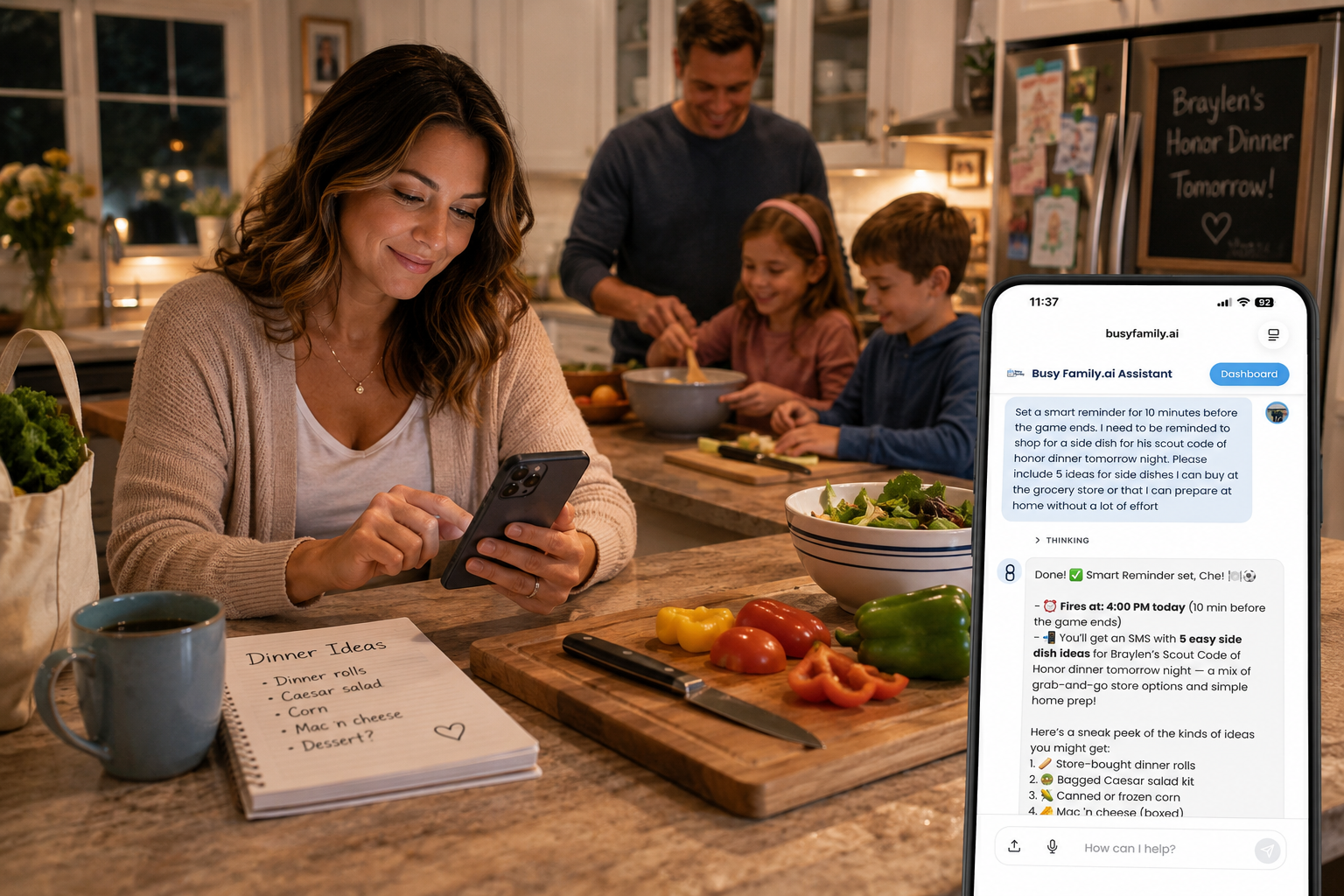
There is a kind of mental work that does not look like work. It does not show up on your to-do list. It does not come with a meeting invite or a deadline. But it is always there, running quietly in the background, taking up space.
It sounds like this: I need to remember to call about that garage door. I have to prepare a few things before my interview tomorrow morning. I should get back to some emails at the end of the day — which ones were they again?
None of those thoughts are tasks you are doing. They are tasks you are carrying. And carrying them is exhausting in a way that is hard to name — because the weight is invisible, and it never fully goes away until the thing is handled.
That is the problem we built Smart Reminders to solve.
The Problem Is Not Remembering. It Is Carrying.
Traditional reminders are good at one thing: telling you when. They fire at the time you set, they show you the text you typed, and then they leave the rest to you.
That means the moment you set the reminder, you are still doing most of the work. You have to remember what context matters. You have to decide what you will need to do when the reminder arrives. You have to prepare mentally — research to look up, emails to recall, things to say — so that when the moment comes, you are ready.
That is not a burden that lands at reminder-time. That is a burden you carry from the moment you set it. In the back of your mind, you are already rehearsing. Already making sure you do not forget the thing you needed to do before the reminder fires.
The reminder fires. You still had to carry everything else.
Introducing Smart Reminders
Smart Reminders are different from the start.
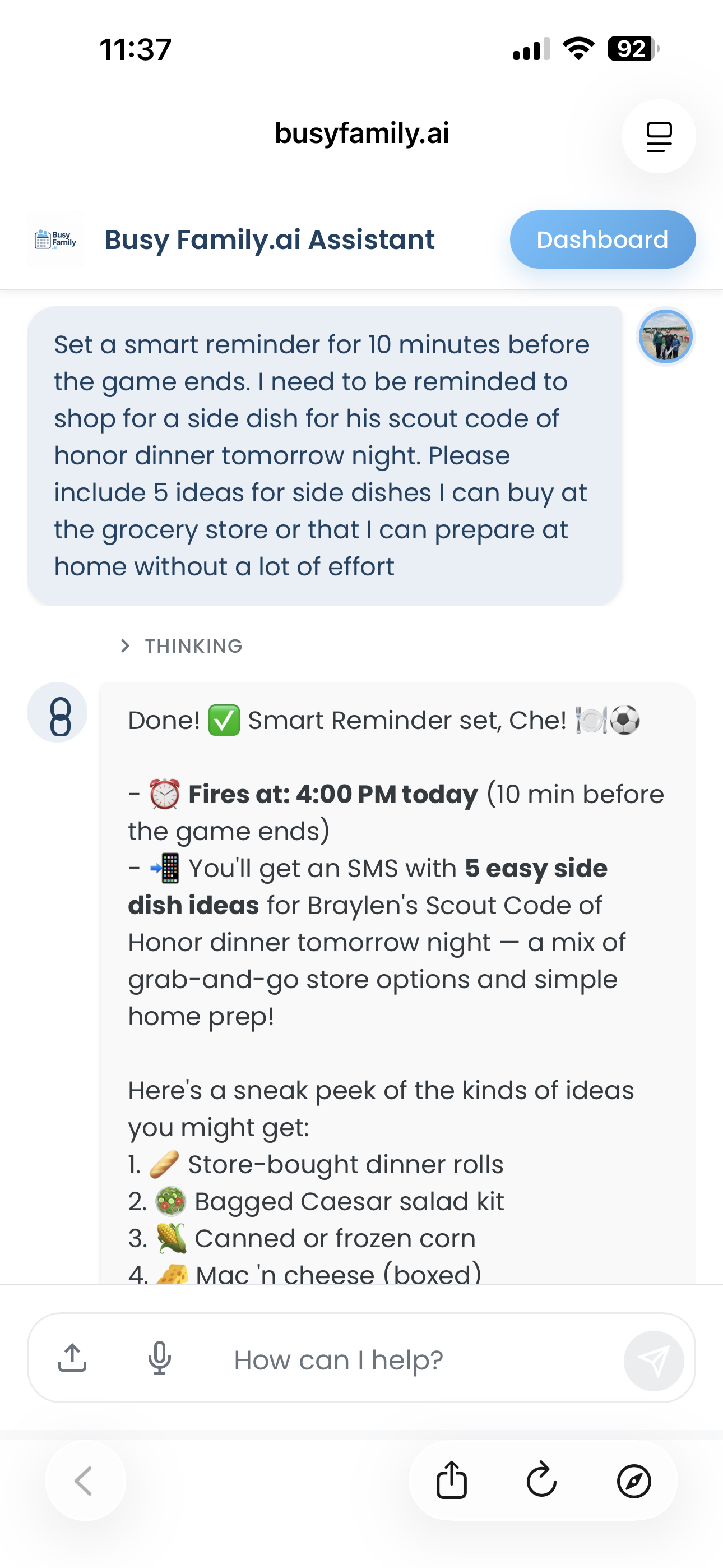
When you ask your Busy Family assistant to set a Smart Reminder, you are not just telling it when to reach out. You are telling it what to do when it gets there — and your assistant handles that part on your behalf.
That might mean generating helpful content. It might mean gathering information before sending you a message. It might mean summarizing context you need to act on. You describe what you want, your assistant takes it from there, and when the time comes, your phone gets a message that is ready to use — not a bare-bones ping that sends you scrambling.
You set it. You let it go. That is the whole point.
What Makes a Reminder Smart
The best way to understand what Smart Reminders can do is to see them next to the situations they are designed for.
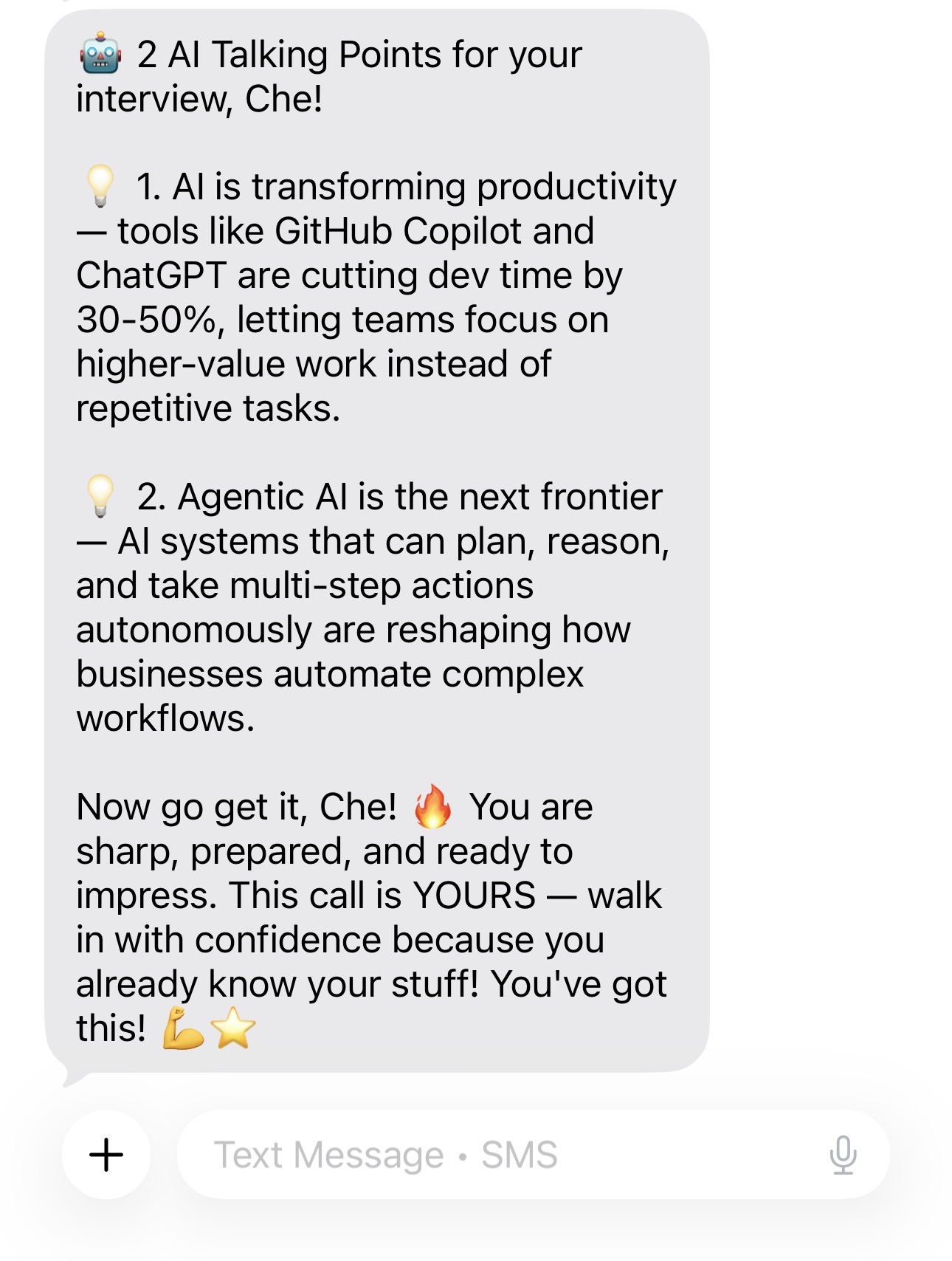
The interview the next morning. You have an important interview at 9am tomorrow. You want to walk in clear-headed, not running through a mental checklist while you brush your teeth. So that evening, you tell your assistant: "Set a Smart Reminder for 8:50am tomorrow. Before my interview, send me the key points I'll want to hit and a short message to get me in the right headspace."
You do not write the key points. You do not draft the encouragement. At 8:50, before you walk out the door, your assistant sends a concise note with exactly what you asked for — ready when you are.
A traditional reminder would have fired at 8:50 and said: Interview at 9am. You would have already been carrying the rest.
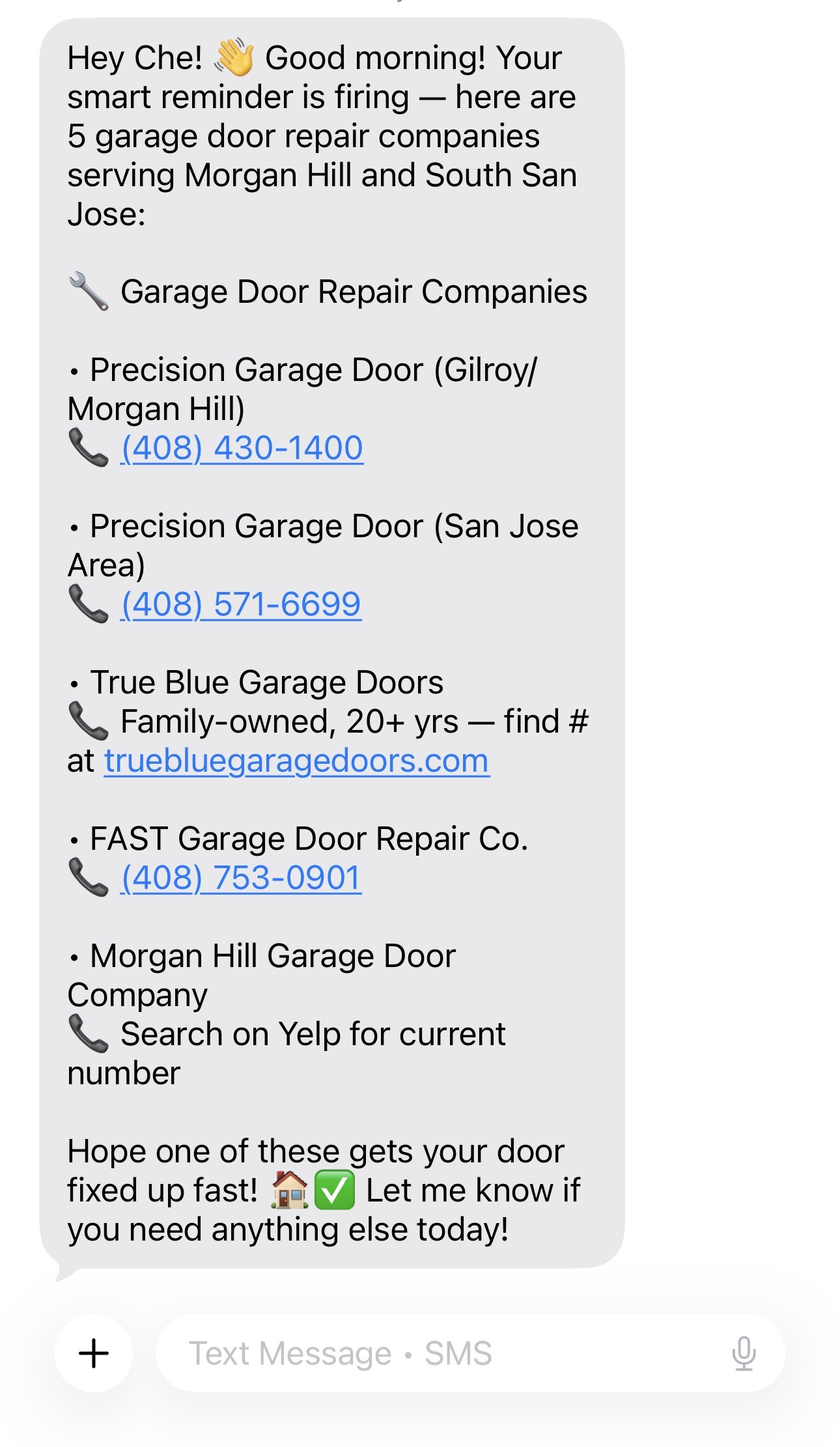
The repair call you keep putting off. The garage door has not been right for two weeks. You know you need to call someone, but between work and pickups and everything else, the right moment keeps slipping by. You need to actually do something with this today. So you tell your assistant: "Set a Smart Reminder for 9am today to call a garage door repair service. When you send it, include the contact information for a few local businesses so I can just pick one and dial."
At 9am, your assistant sends you a list of local services with phone numbers included. You did not have to look them up. You did not have to carry that task in your head between now and then. You open the message, pick one, and dial.
That is the real unlock: you are not setting a reminder to go do the research yourself. You are handing the research off entirely and receiving the finished product at exactly the right moment. The cognitive work happened — it just did not happen inside your head.
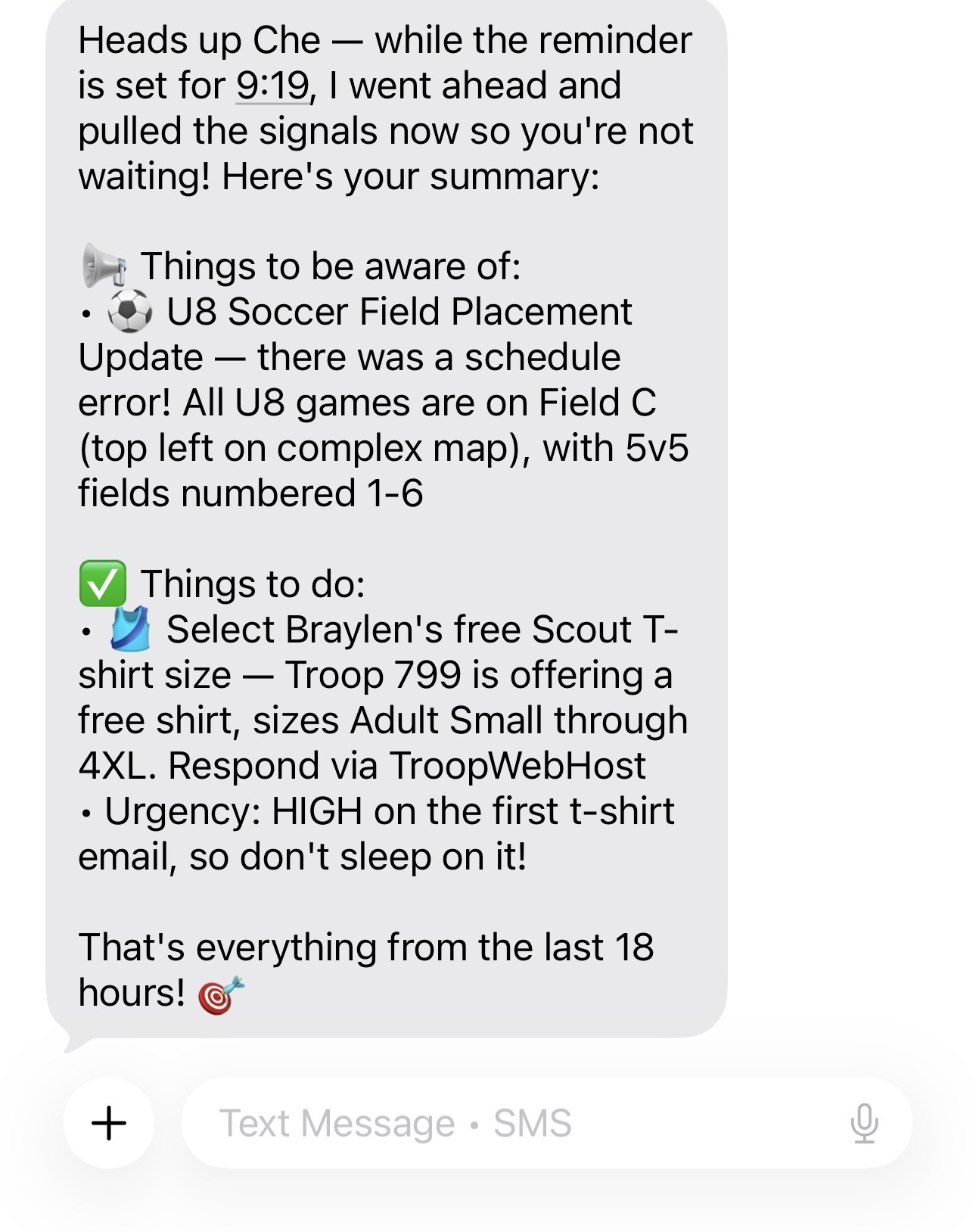
The emails waiting at the end of the day. A handful of messages came in over night — things that were flagged by your Email Rules, things you missed while you were sleeping. In the morning you'd like to know what the assistant caught while you were sleeping. So you tell your assistant: "Set a Smart Reminder for tomorrow morning at 9:20am to summarize the important emails I've received overnight and let me know if there are any I should respond to."
At 9:20am, you get a clean summary. The key emails, what they are about, what might need a reply. You did not have to worry about missing those emails overnight. You did not have to go back through your inbox with a highlighter trying to reconstruct what mattered. Your assistant did that work — in the background, at the right moment — so you could be somewhere else entirely in the meantime.
Set It Down, Then Let It Go
There is a phrase that keeps coming up when we talk about why Busy Family matters to families: peace of mind.
It is worth being specific about what that phrase actually means.
Peace of mind is not just the absence of stress. It is the presence of trust — the feeling that something reliable is handling what you would otherwise have to handle yourself. It is what lets you sit at the dinner table and actually be at the dinner table. What lets you be in a conversation without a part of your brain running interference in the background, doing triage on everything you might be forgetting.
Smart Reminders are built on that idea. When you tell your assistant to remind you of something — and to do some of the work for you when it does — you are not just offloading a task. You are creating real, earned permission to stop thinking about it. To stop rehearsing. To trust that when the moment comes, you will have what you need.
The garage door is handled. The interview prep will be ready. The emails will get summarized. You do not need to hold onto any of that between now and then. Your assistant has it.
And because it has it, you get to be somewhere else. Not mentally half-present while you run background calculations. Actually, fully there.
That kind of presence is not a luxury. For most families, it is what they are working toward. Smart Reminders are one small way we are trying to make it more available, more often.
How to Try It
Setting a Smart Reminder is as simple as describing what you need. You can tell your Busy Family assistant in plain language — by text or in the app — and it will handle the setup.
A few ways to get started:
- "Set a Smart Reminder for 7pm tonight to help me think through what I need for the school meeting tomorrow morning."
- "Remind me at 4:30pm on Friday to follow up with the contractor. When you do, include any emails I've received from them this week so I have the context ready."
- "Set a reminder for 6am on Thursday to send me a couple of things I should keep in mind going into that conversation."
- "Remind me at noon on Monday to check in on those open items. Pull in anything relevant from my calendar or email rules so I know what's still pending."
You do not need to spell out every detail in advance. You are not writing a script — you are describing what would be helpful. Your assistant takes it from there.
We all carry more than we should. More mental tabs than we can comfortably keep open. More background tasks than any person should reasonably hold.
Busy Family is not going to fix everything. But every piece of that load we can take on — the research, the prep, the summarizing, the watching, the remembering — is a piece you get to put down.
Start with one thing you are carrying right now. Tell your assistant about it. Let it hold that for you.
That is what we are here for.
Smart Reminders are available now. Open your Busy Family assistant and tell it what you need it to remember — and what you need it to do when it does.