Skip the Guesswork: Smart meal plans, shoppable on Instacart

Life moves fast when you're managing a busy family. Between work meetings, soccer practice, and endless activities, there's one question that pops up every single day: "What's for dinner?"
For most families, this triggers a familiar scramble—scrolling recipe websites, making frantic 5:30 PM grocery runs, and somehow still ending up with scrambled eggs because nobody remembered the chicken.
But here's the thing: most families want to eat better home-cooked meals. The struggle isn't desire, it's logistics. Finding recipes, making grocery lists, and coordinating with your schedule takes mental energy most of us don't have at the end of a busy day.
What if your personal AI assistant—the one that already knows your schedule inside and out—could handle these logistics for you? What if planning meals, finding recipes, and ordering ingredients could happen in a natural conversation, eliminating the friction between wanting to cook and actually doing it?
That's exactly what we've built into Busy Family.
Your Assistant Knows Your Schedule—And Now Your Kitchen
Here's what makes this different: your assistant doesn't suggest recipes in a vacuum. It knows Tuesday is packed until 6 PM (not the day for a three-hour recipe), while Thursday is wide open (perfect for that new pasta dish). It looks at your actual life and suggests meals that work for your family's reality.
Starting the Conversation
Simply ask: "What should I make for dinner this week?" Your assistant responds with thoughtful suggestions matched to your schedule's rhythm.
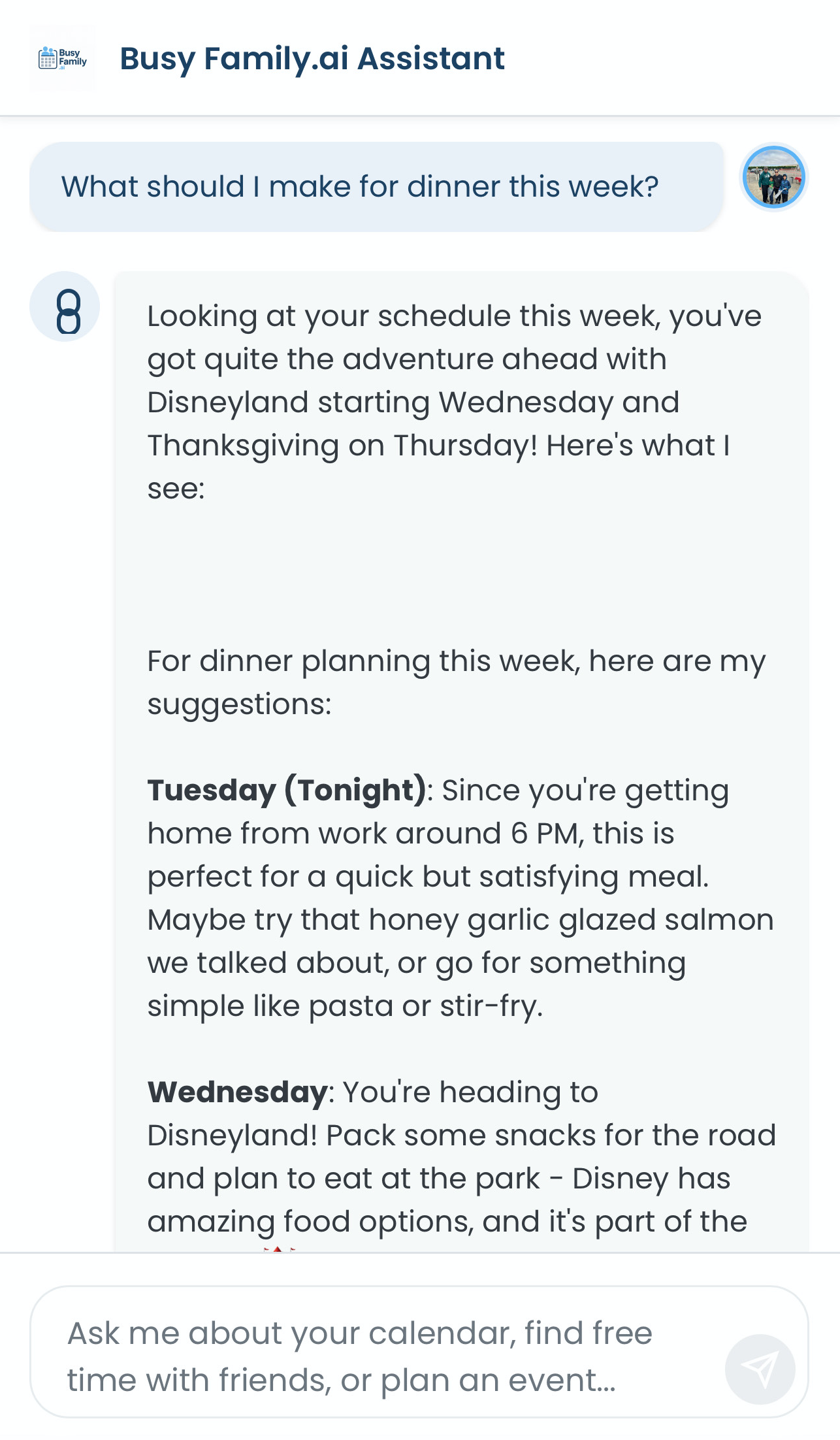
And here's the key: customize to your heart's content.
Have vegetables that need using? "I have bell peppers, zucchini, and chicken breast to use up."
Dietary restrictions? "My son is lactose intolerant" or "We're eating more plant-based meals."
Picky eaters? "My daughter won't eat anything green."
The more context you provide, the better your suggestions become.
Share what's in your pantry or fridge. Your assistant helps you use ingredients before they spoil, reducing waste and grocery spending.
Creating Recipe Cards
Once you've chosen your meals, ask: "Can you create recipe cards for these?"
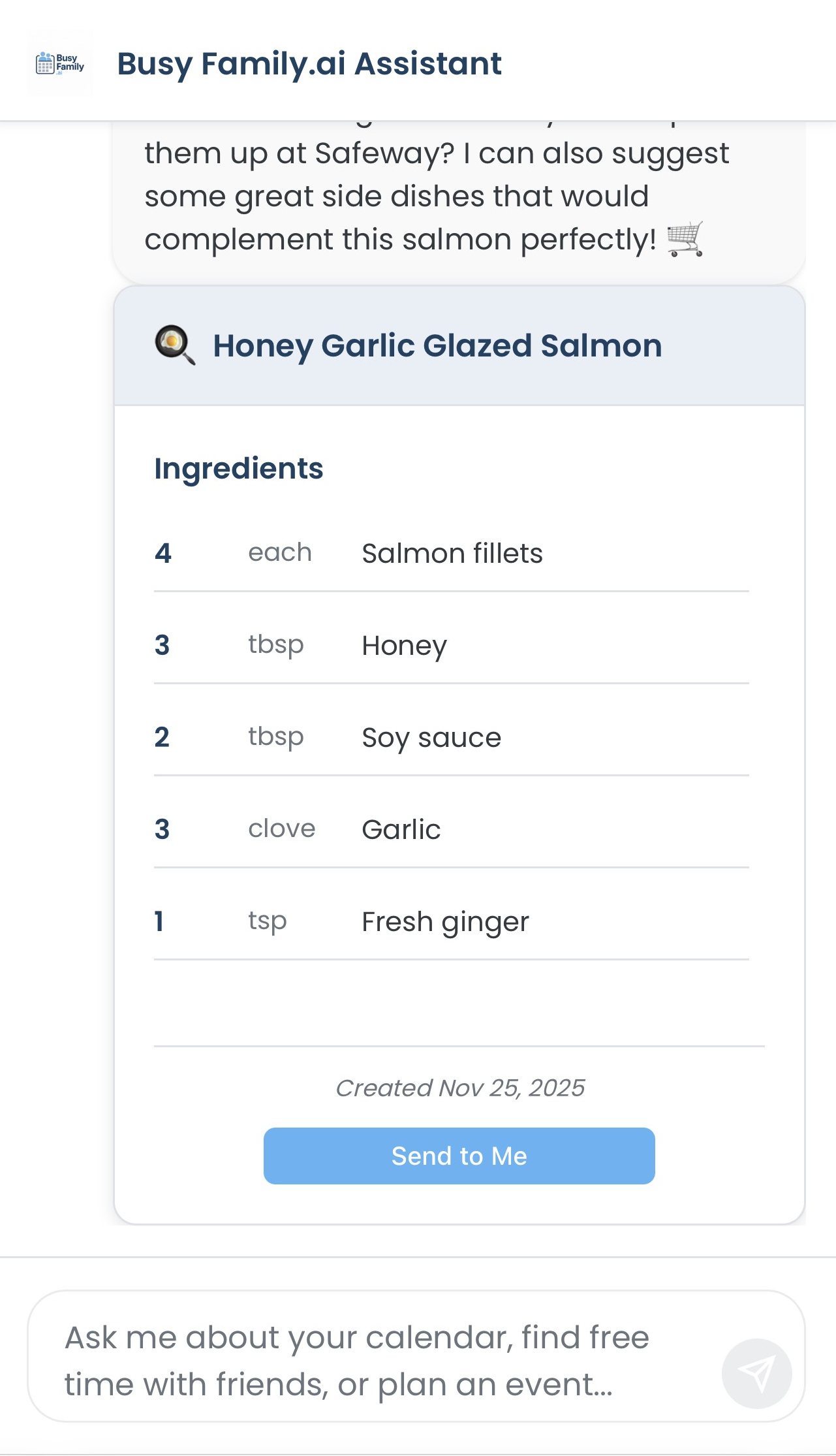
You get complete recipe cards with ingredients, quantities, step-by-step instructions, and cooking times.
Recipes Meet Your Daily Routine
Associate a recipe with a specific day ("Make the chicken stir-fry on Tuesday"), and it automatically appears in your Daily Briefing that morning. No more 5 PM panic trying to remember what you planned.
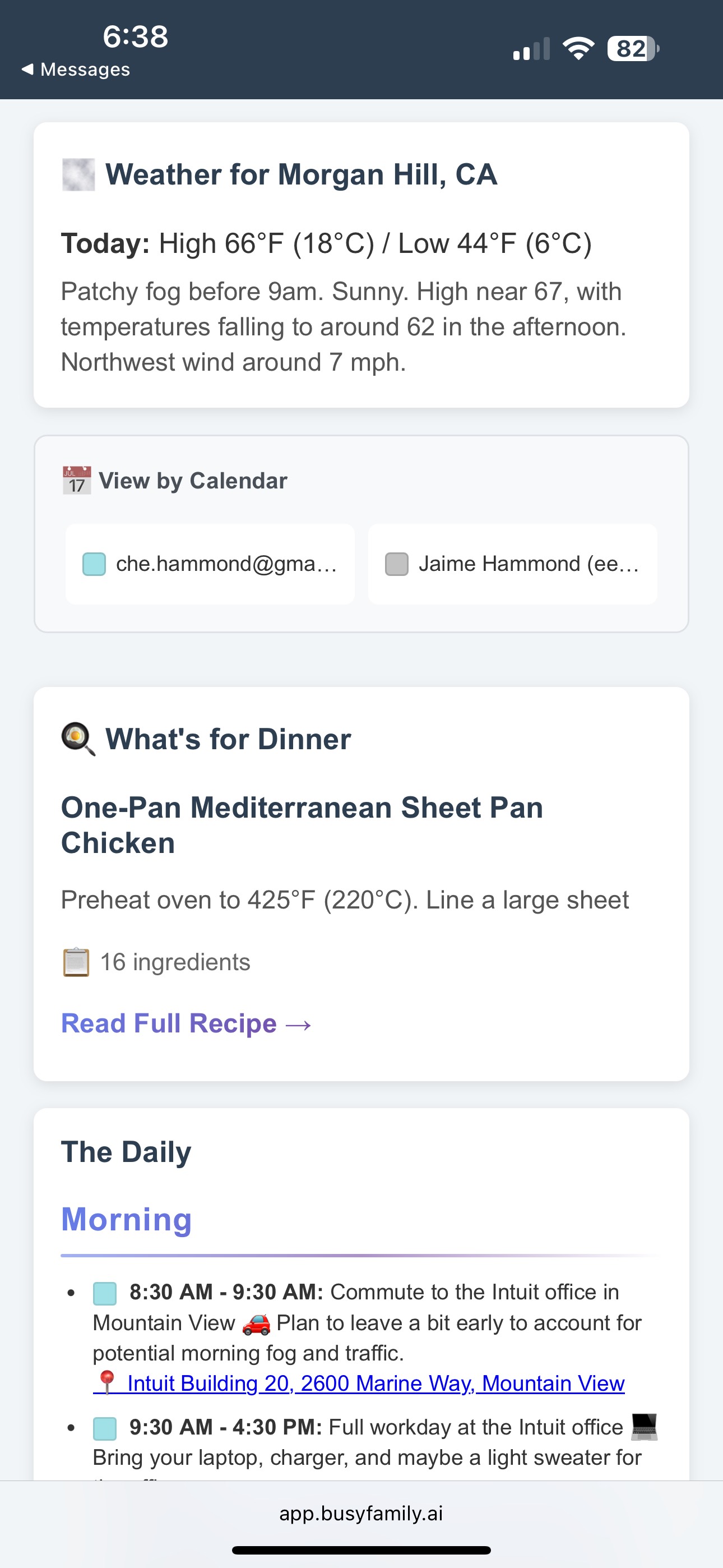
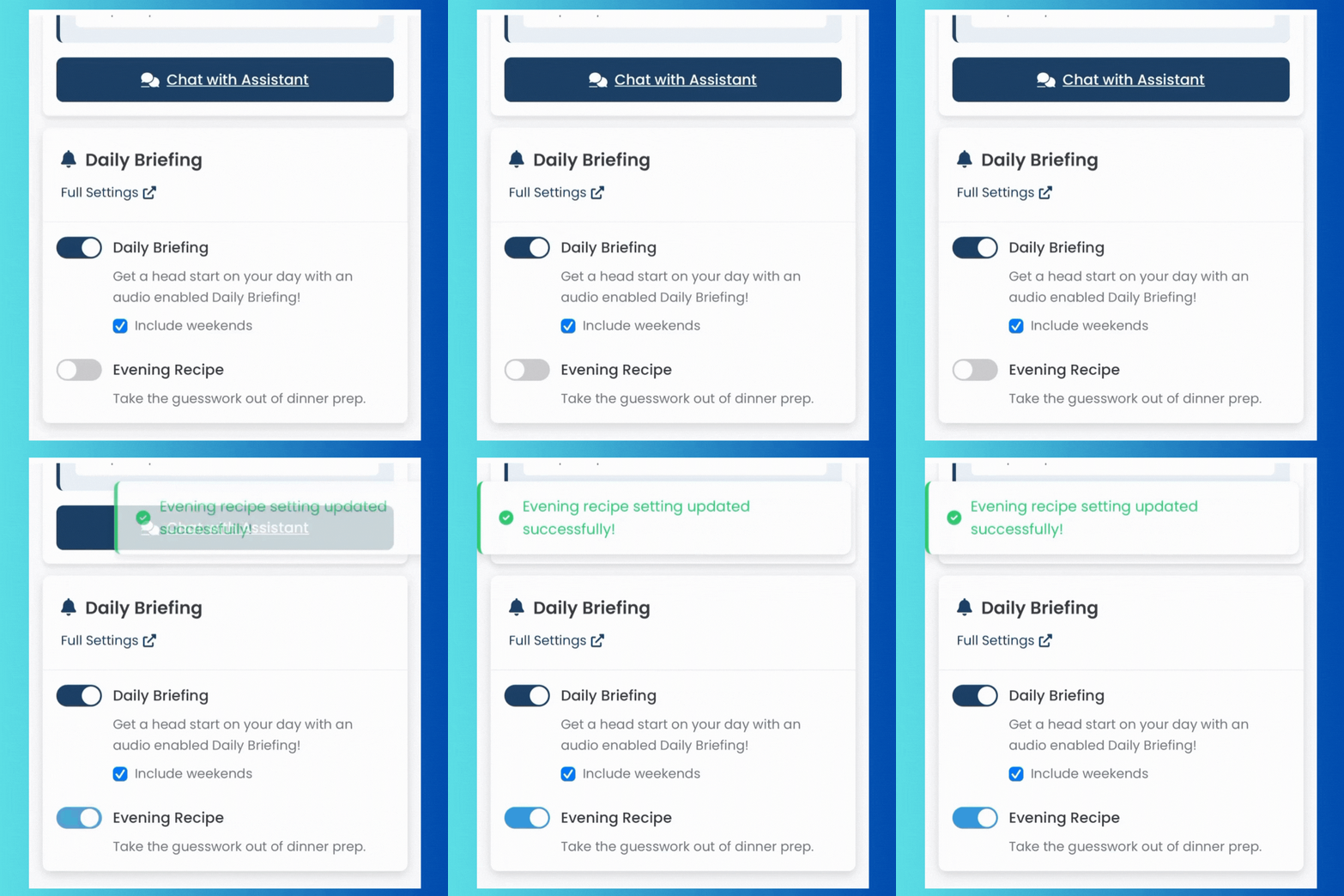
Even better: opt in to receive your day's recipe at 5:00 PM each evening, giving you time to prep before the dinner rush. (Configure this in your Look Ahead settings.)
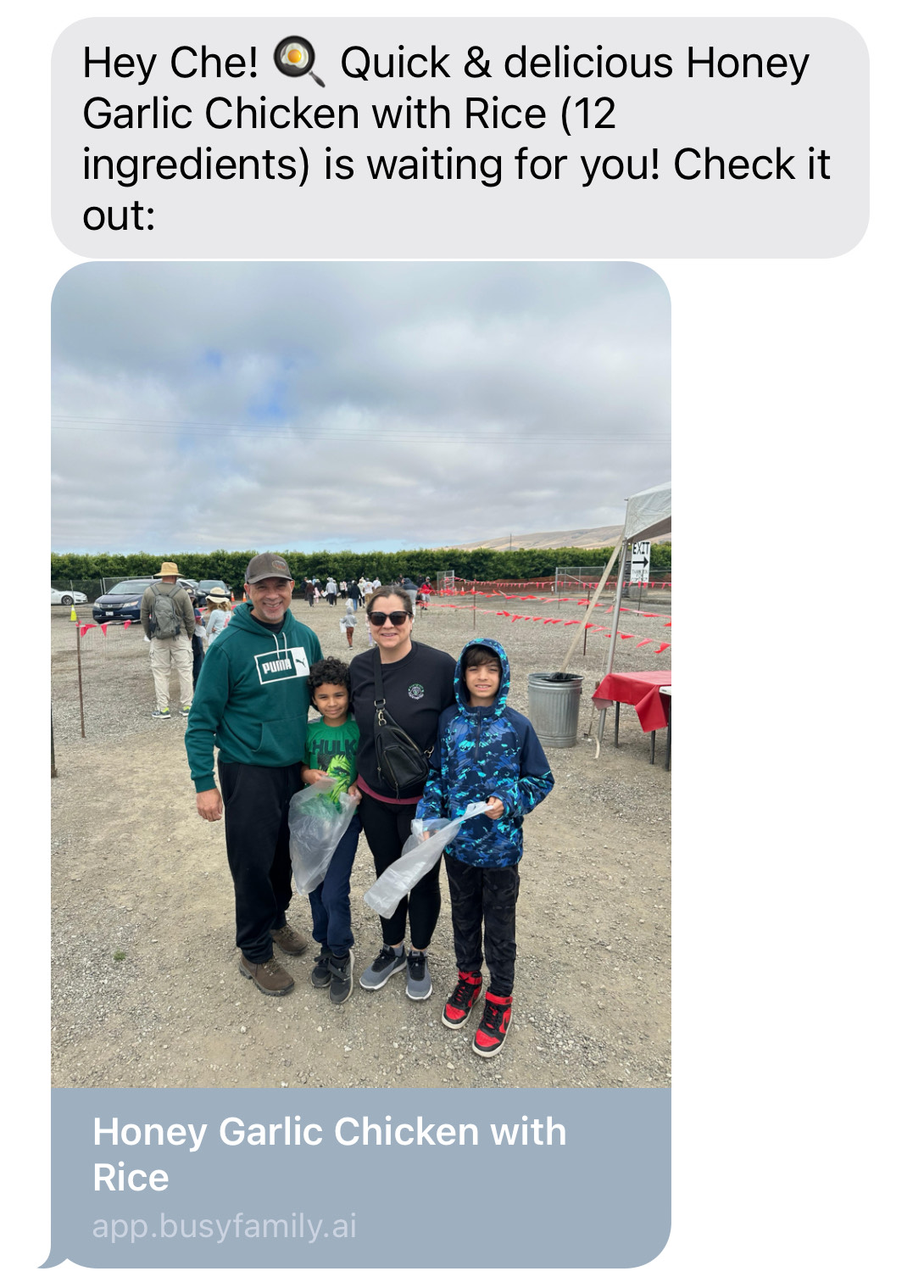
Sharing and Saving: Send recipe cards via text or email to share with family or friends. Ask your assistant to retrieve past favorites: "What was that chicken recipe from October?"
Your Grocery List: Organized and Editable
Ask your assistant: "Create a grocery list from these recipes."
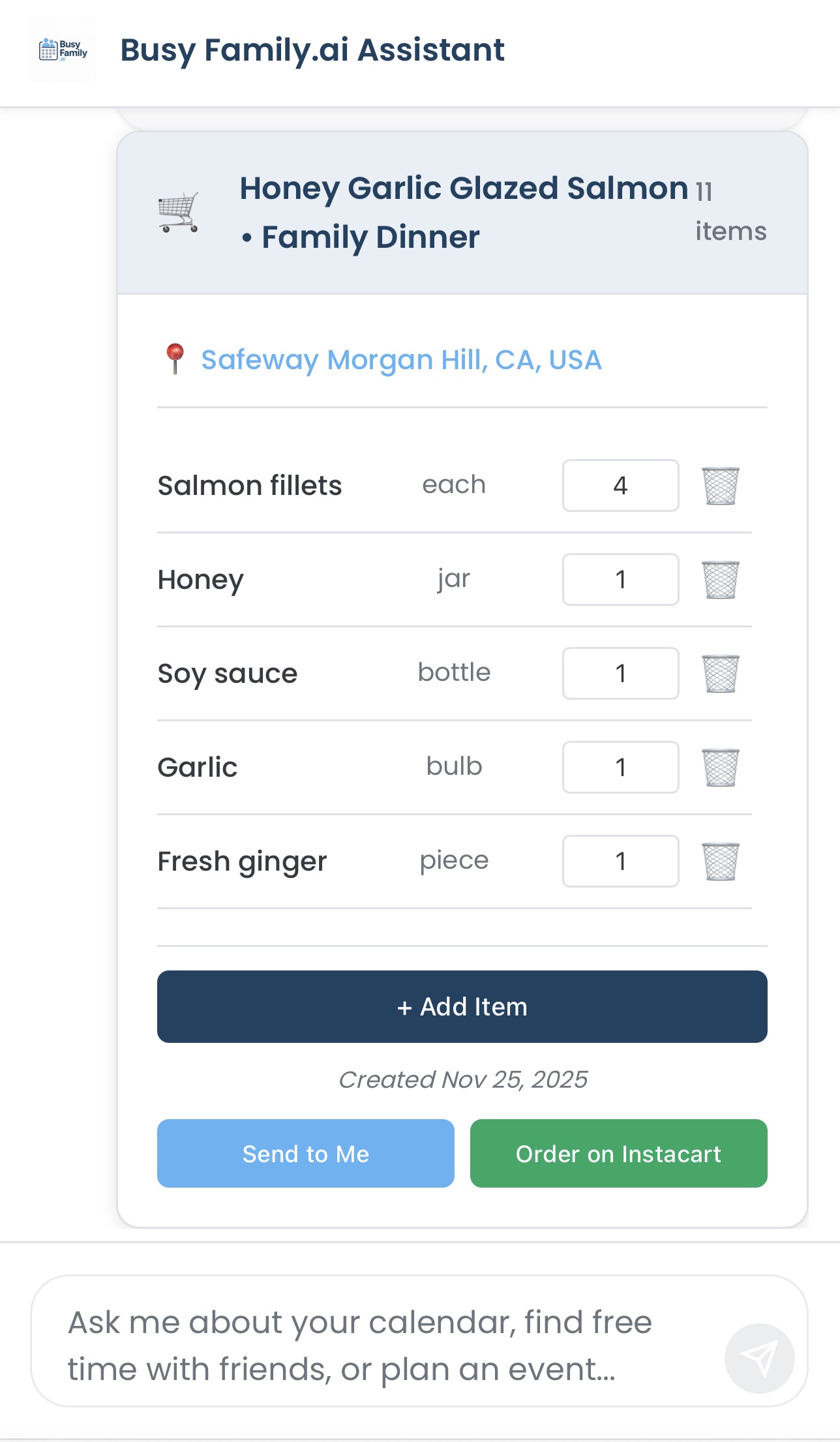
It compiles everything from your recipes into one organized list with quantities and units—no more forgetting the cumin or guessing how many bell peppers you need.
Make It Your Own
Easily:
- Add items beyond recipes (milk, coffee, those cookies your kid wants)
- Remove items you already have
- Adjust quantities to match your family's needs
Traditional Shopping
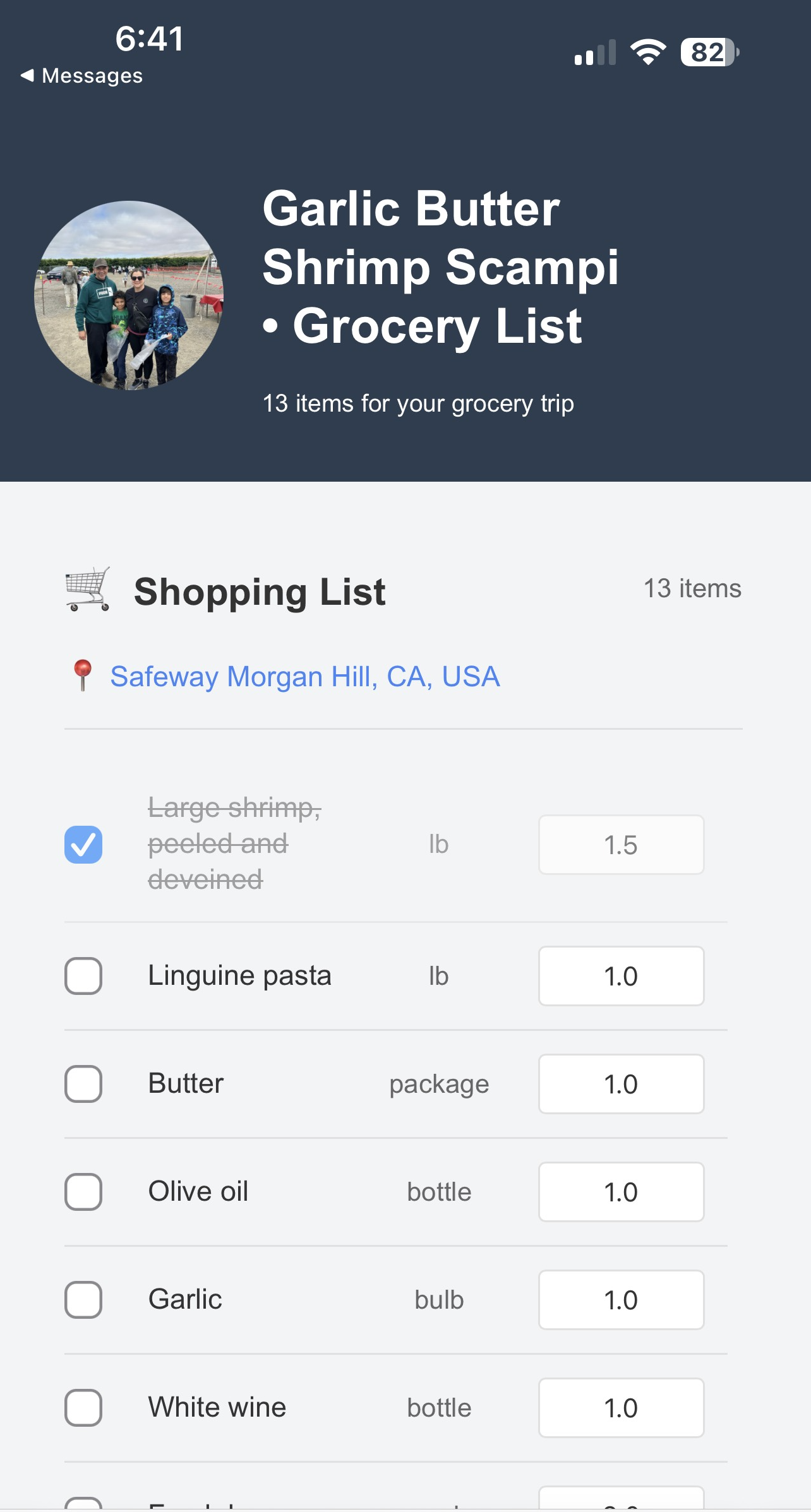
Hit "Send to Me" and your list arrives via text or email. Check off items as you shop for a faster, more organized experience.
The Game Changer: AI to Instacart in Seconds
Here's where it gets exciting.
Tap "Order on Instacart" and your AI-generated list transforms into an actual Instacart order. In seconds, you go from meal planning to groceries on their way.
Your complete list transfers to Instacart where you can:
- Choose your preferred store
- Review item matches
- Schedule delivery or pickup
- Complete your order
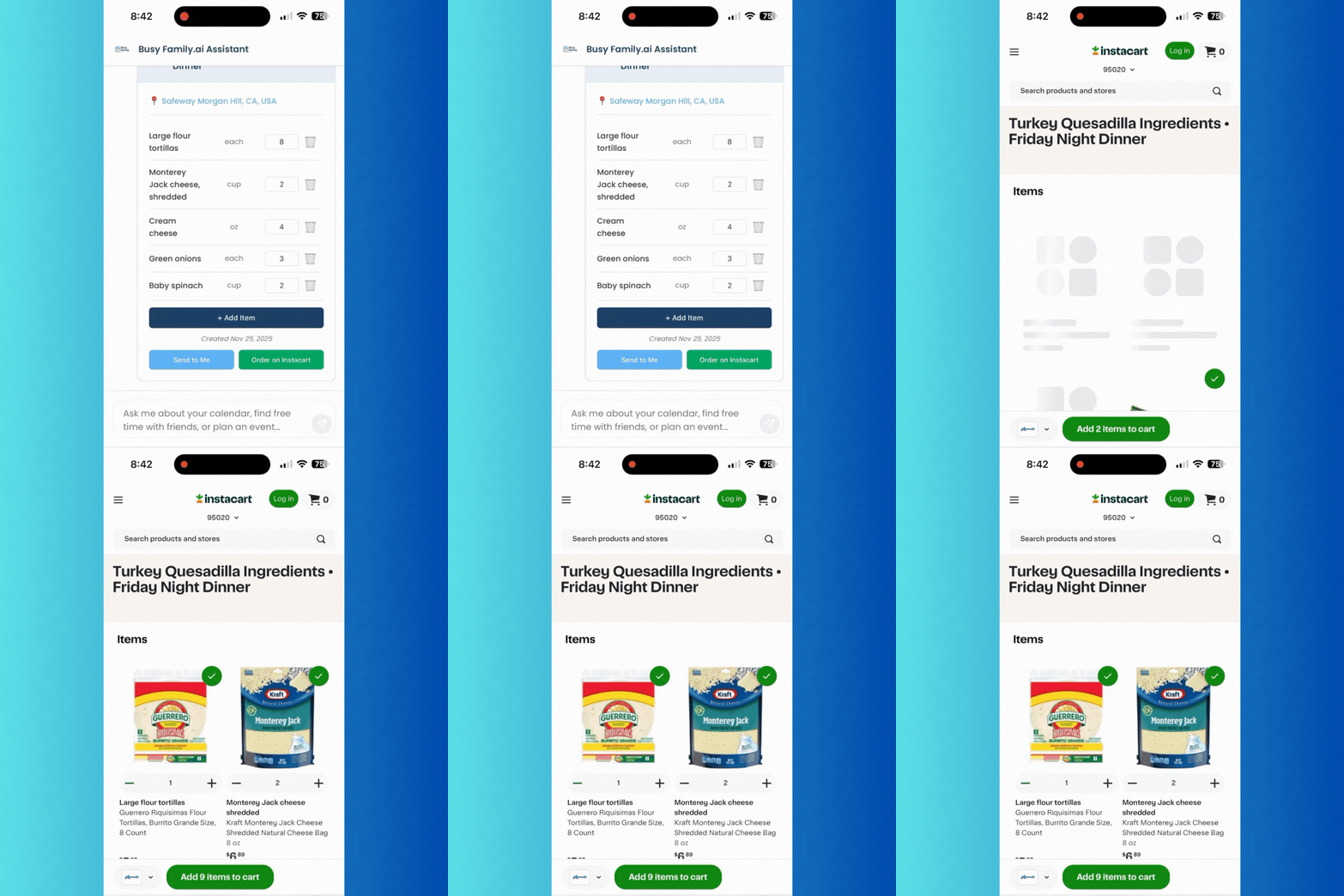
From "What should we eat?" to groceries ordered—all within one conversation. No copying, no retyping, no switching between apps.
Getting Started
Ready to try it? Here's your simple path:
- Ask for meal ideas: "What should I cook this week?"
- Request recipe cards: "Give me recipes for these meals"
- Create your grocery list: "Make a grocery list from these recipes"
- Edit as needed and either send it to yourself or order through Instacart
Share your preferences, dietary needs, schedule, and pantry situation. Your assistant learns what works for your family.
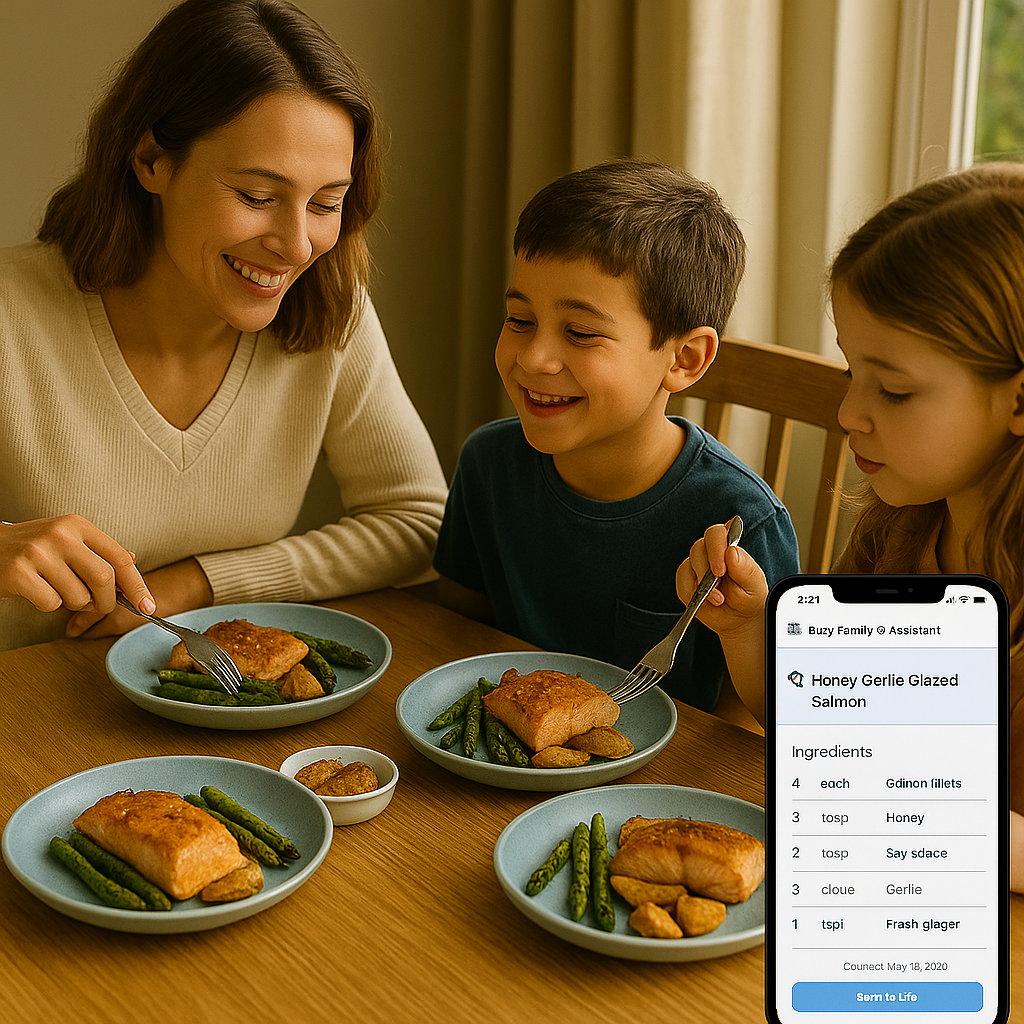
Your Assistant for Real Life
Meal planning joins the growing list of ways Busy Family handles modern family complexity. Just like it coordinates schedules and manages your calendar, it now tackles that daily dinner question—without adding to your mental load.
Because technology should make life easier. And there's something satisfying about asking "What's for dinner?" and getting a real answer—complete with recipes, a shopping list, and ingredients delivered to your door.
That's the power of an AI assistant that truly knows your life.
---
Ready to transform meal planning? Log into Busy Family and ask: "What should I make for dinner this week?"