Watch This!
Calendar Rules let your Busy Family assistant keep an eye on the schedule changes, conflicts, and tight transitions you should not have to catch alone.

Tuesday at 2:17 PM. You're in back-to-back meetings. Your phone is face-down on your desk the way it has to be when you're actually trying to be present. Somewhere in a background tab you never check, a notification quietly appears: your son's travel soccer club just pushed an update to the shared ICS calendar. Wednesday's practice moves from 5:00 PM to 6:30 PM.
You don't see it.
You're not supposed to. You're working.
But here's what that quiet update actually means. Your daughter's school recital — the one your spouse added last week — starts at 7:00 PM. At a school across town. Your work calendar has a 6:00 PM call you'd usually step away from early to handle pickups. And you have no idea any of this is now a problem.
You find out at 4:45 PM, when your spouse texts to ask who's handling what on Wednesday.
That moment — the scramble, the logistics math running in your head, the frustration of a problem that could have been solved three hours ago — is exactly the kind of thing Busy Family is designed to prevent.
Schedules Don't Stay Still
One of the most useful things Busy Family can do is send you a Daily Brief, a Weekly Look Ahead, or a Weekend plan. These briefings give you a clear picture of what's ahead before the day or week gets underway.
But calendars change after the briefing goes out.
A school sends a notice at noon. A coach reschedules practice on Tuesday. A spouse adds something on Thursday that creates a problem you won't discover until it's almost too late.
A briefing can only tell you what was true when it ran. What it can't do — on its own — is watch your calendar for you between now and then.
And watching your calendar is, itself, a job.
Not just the work of checking it. The deeper work of knowing which changes matter, which ones create conflicts, which ones might leave you without enough time to get from point A to point B — and doing all of that assessment in your head, constantly, in the background, on top of everything else you're managing.
That background process has a name: mental load. And for most families, it never fully stops.
Introducing Calendar Rules
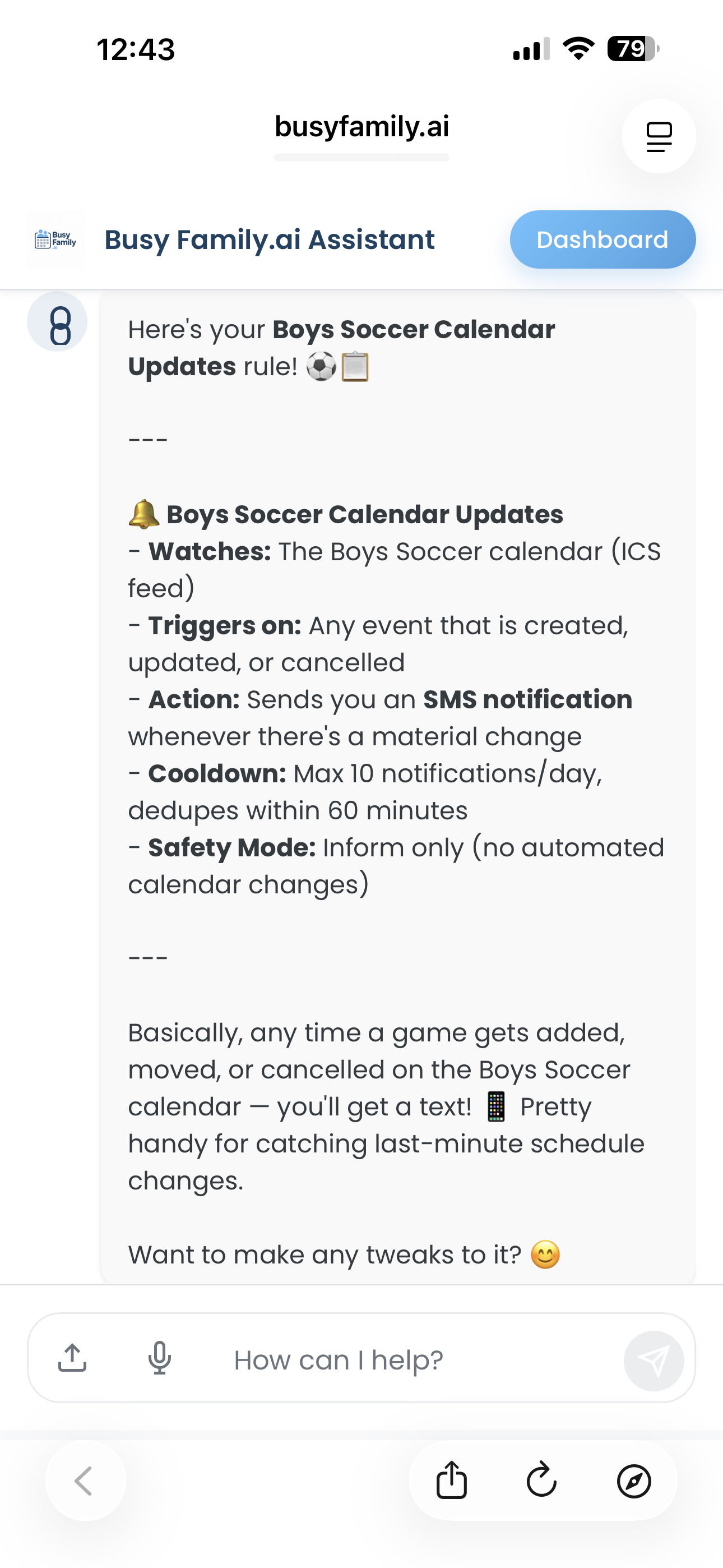
Calendar Rules are a new feature that lets you tell your Busy Family assistant what to watch for on your calendar.
Not "remind me about this event." Something more like: "If anything changes on my kids' school calendar and it conflicts with something else we have going on, I need to know." Or: "If a new event gets added that doesn't leave me enough travel time from work, let me know before I find out the hard way."
You set those instructions once, in plain language. Your assistant takes it from there.
From that point on, it's watching. Not when you remember to check. Not when you happen to open the app. Continuously — because it doesn't get pulled into meetings, or distracted, or forget.
Not an Alert. A Briefing.
There's an important difference between a notification that says something changed and an assistant that says here's what changed, here's why it matters, and here are a couple of ways you might handle it.
Most alerts do the first thing. They tell you there's a problem and leave the rest to you.
Calendar Rules, when set up for it, can do the second thing.
When your assistant spots a match — say, a practice time change that creates a travel crunch before another event — it doesn't just flag it. It has already looked at what's on either side of the situation. It can tell you what the conflict is, name the event it bumps into, note the timeline, and if you've asked it to, come back with a couple of options based on your actual schedule.
That is the shift. Not a notification you still have to decode. A briefing from an assistant that has already done some of the work — the same way a real personal assistant would.
What Your Assistant Can Watch For
Here are four kinds of rules that reflect real scenarios families deal with.
Something changed on a shared calendar. Say your kids are on a travel sports team that uses a shared ICS calendar. You can tell your assistant: "Any time an event on the soccer calendar changes, let me know — and if it conflicts with something else we have, tell me that too." It watches the calendar. When a practice moves, it catches it. If the new time bumps into something else on the family calendar, it surfaces both things at once. You don't have to catch it yourself.
A new event doesn't leave enough travel time. Your spouse books an after-work recital that starts at 7:00 PM on the other side of town. That looks fine in isolation. But your work calendar has something ending at 6:30 PM, and the venue is 40 minutes away. Your assistant can watch for exactly this: events that seem fine on their own but create a real crunch when you account for where you're coming from and how long it actually takes to get there. When it spots the pattern, it tells you — before it's too late to do anything about it.
Something lands on an already heavy day. Some days are just harder than others — a day packed with meetings, or a school-night evening when the whole family already has commitments stacked end-to-end. You can tell your assistant: "If anything new gets added to my calendar on a Tuesday or Thursday after 5 PM, let me know so I can decide if it actually works." It watches that window and brings it to your attention when something arrives.
A back-to-back that shouldn't be. Maybe you have a regular work commitment that always runs long on Fridays, or a recurring pickup that makes certain late afternoons functionally unavailable — even if they look open on paper. Your assistant can watch for events that land too close to those situations, and let you know when something new might not actually fit the way the calendar makes it look.
Where You'll Hear About It
Rule alerts show up in two places, depending on the situation.
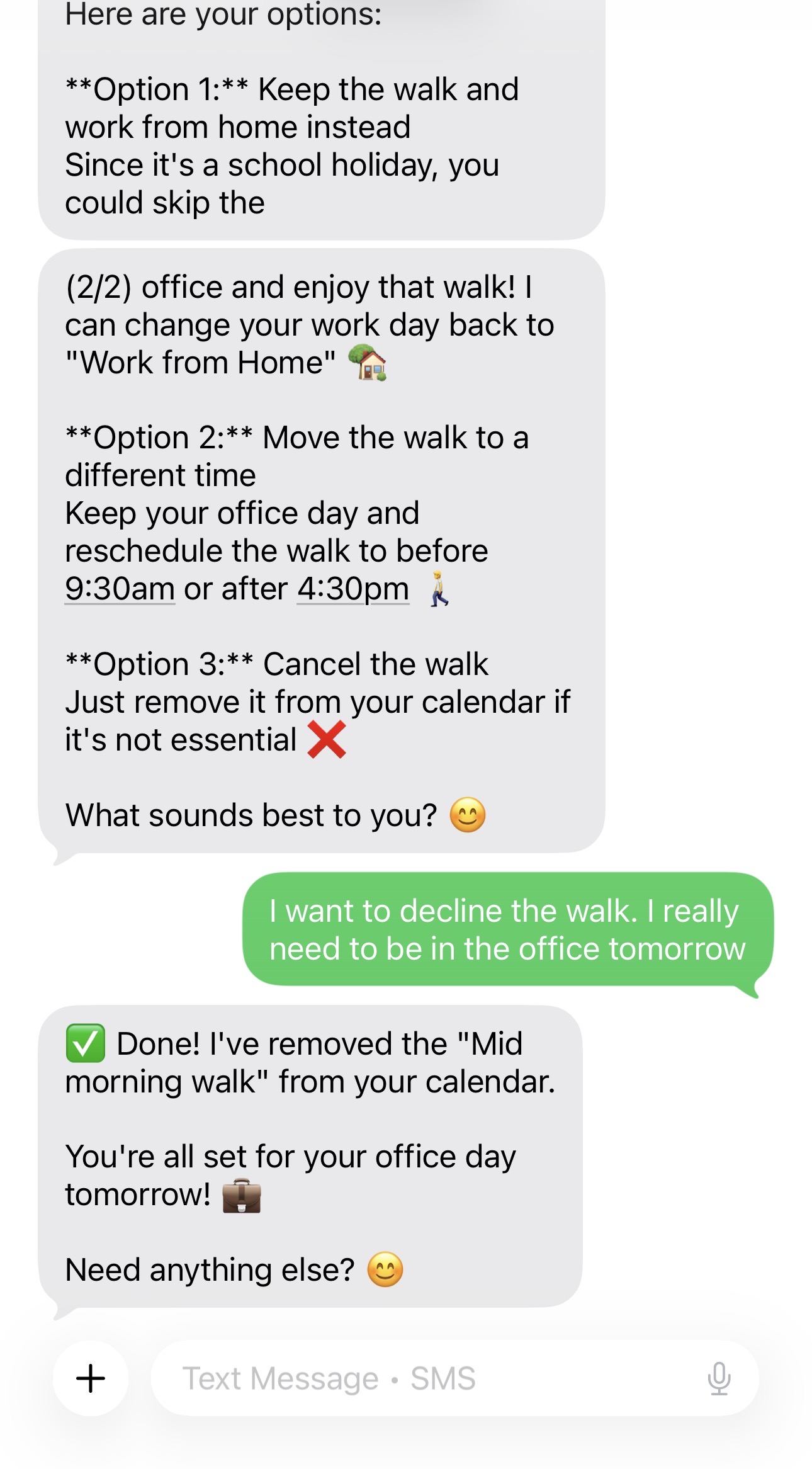
For things that are happening soon — or that warrant a heads-up right now — your assistant sends you a text. Not a push notification that gets buried in a tray. An actual SMS, in a conversational tone, with the context already included: what changed, what it affects, and if you've asked for it, what your options are.
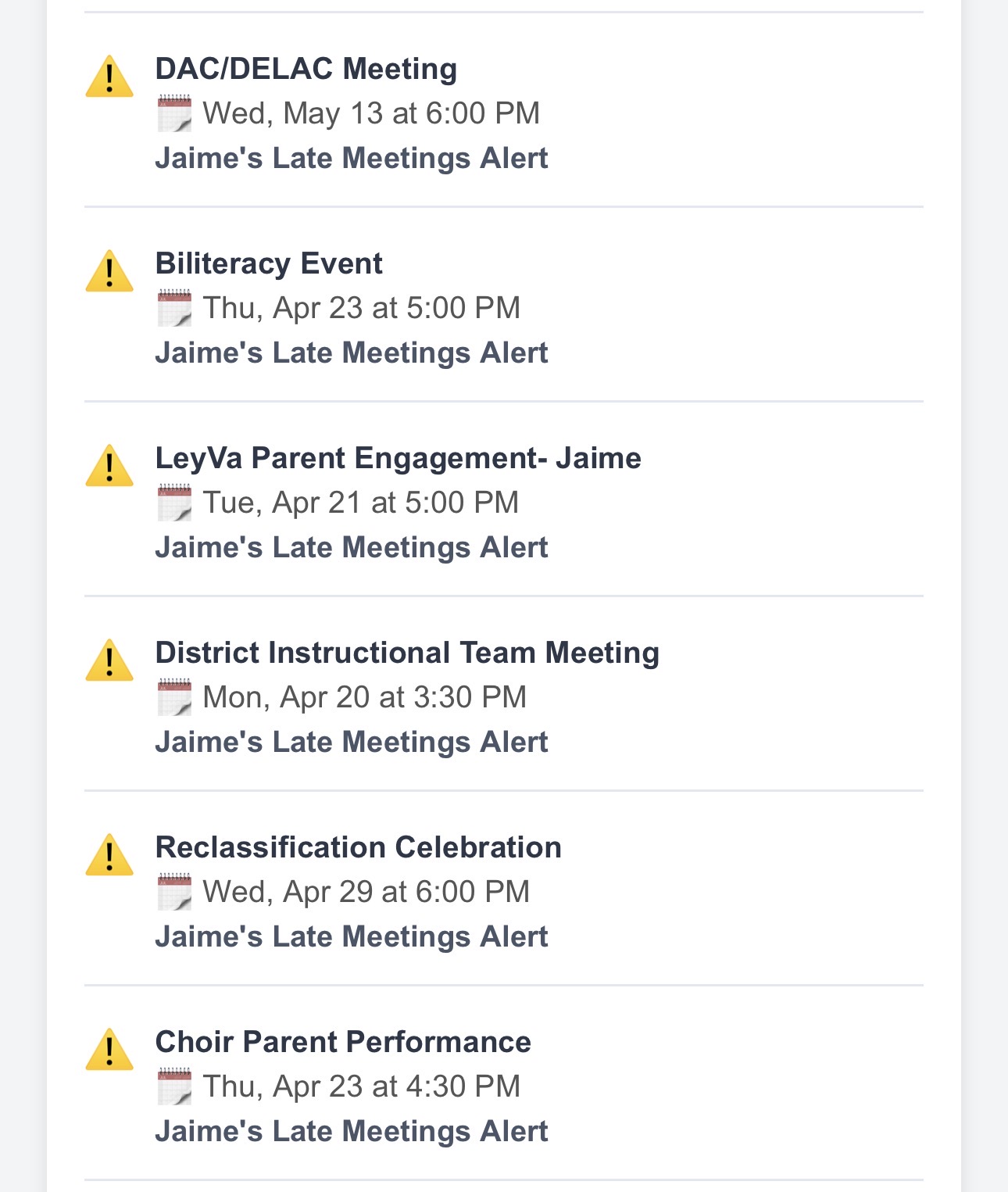
For things that are relevant but not urgent — an upcoming conflict that's still days away, or a schedule pattern worth noting before the week kicks off — you'll see it in your look-ahead briefings. Your Daily Brief, your Weekly Look Ahead, and your Weekend plan can all surface rule matches, so you're reviewing them as part of your regular planning rhythm rather than getting an out-of-the-blue interrupt.
Your assistant figures out which of those makes more sense for the situation. You don't have to decide in advance.
Coming Soon: Email Rules
Your calendar is not the only place family logistics live.
The permission slip for the field trip comes in an email. The contractor sends an update on the home project — no calendar invite attached. The school sends a note about a change to the schedule, a sign-up deadline, or tryout registration. Your kid's coach forwards something you need to act on. These things arrive in your inbox, and they carry exactly the kind of information that adds to the mental load: things you have to notice, read, decide about, and act on — before the window closes.
Email Rules — coming soon — will bring the same always-on model to your inbox. You'll be able to tell your assistant what kinds of emails matter to your family, and it will watch for the signals buried in the noise. When it finds something that counts, it can include it in your briefings or reach out directly if the situation is time-sensitive.
Another layer of the coordination burden. Quietly transferred to the assistant that never takes a day off.
The Assistant Who Never Stops Watching
For the first time, the technology exists to actually hand this kind of work off.
Not to a reminder app that only knows what you told it, exactly when you told it. But to an assistant that understands your schedule, knows your family's context, and keeps watching even when you're in meetings, at practice, or just trying to be present.
The mental load of managing a busy family calendar does not have to sit entirely with you. Rules are one of the ways Busy Family is making that possible — and it's work we're committed to building on.
You set the rule once. Then you can let it go.
Ready to try it? Tell your Busy Family assistant what you'd like it to watch for — in your own words — and it will set the rule up for you.