
Tip & Tricks for Your Personal Assistant

Families juggle school, work, appointments, and “oh no, that moved” moments all day long. Busy Family’s personal assistant is there to take some of that mental load off you — by knowing your calendar, understanding timing and locations, and sending the right messages to the right people.
Below are 5 everyday situations — running late, planning the weekend, finding time with others, etc. — and how the assistant handles them. Think of this as a menu: scan it, spot the ones that sound like you, and use those. No magic words needed, just tell it what’s going on.
Use SMS for simple requests and the Web interface for longer conversations—whatever works best for your family!
1. When Group Plans Stall
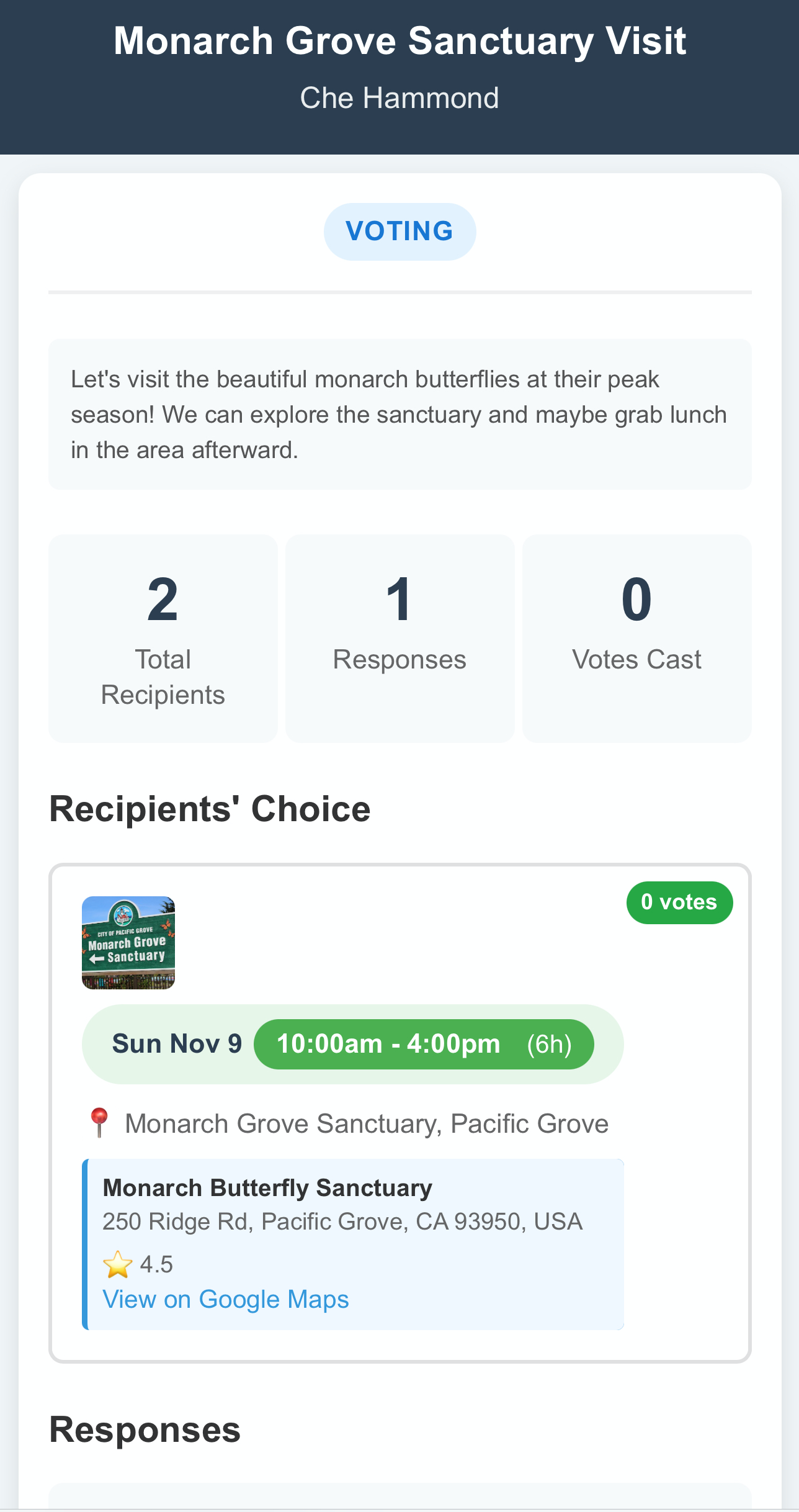
Problem: Getting friends together feels like herding cats, with endless "maybe" or "let me check" responses. Or just outright radio silence. All leading to scheduling confusion.
How your assistant makes it simple:
- Just share who you'd like to invite and potential dates/times
- The assistant checks everyone's Busy Family calendars and finds the best options
- Review and approve the suggestion, then let the assistant handle tracking responses and confirming the final time
2. When You Need to Sync Schedules with Busy Family Connections
Problem: Coordinating calendars with family members or close friends shouldn't be complicated.
How your assistant makes it simple:
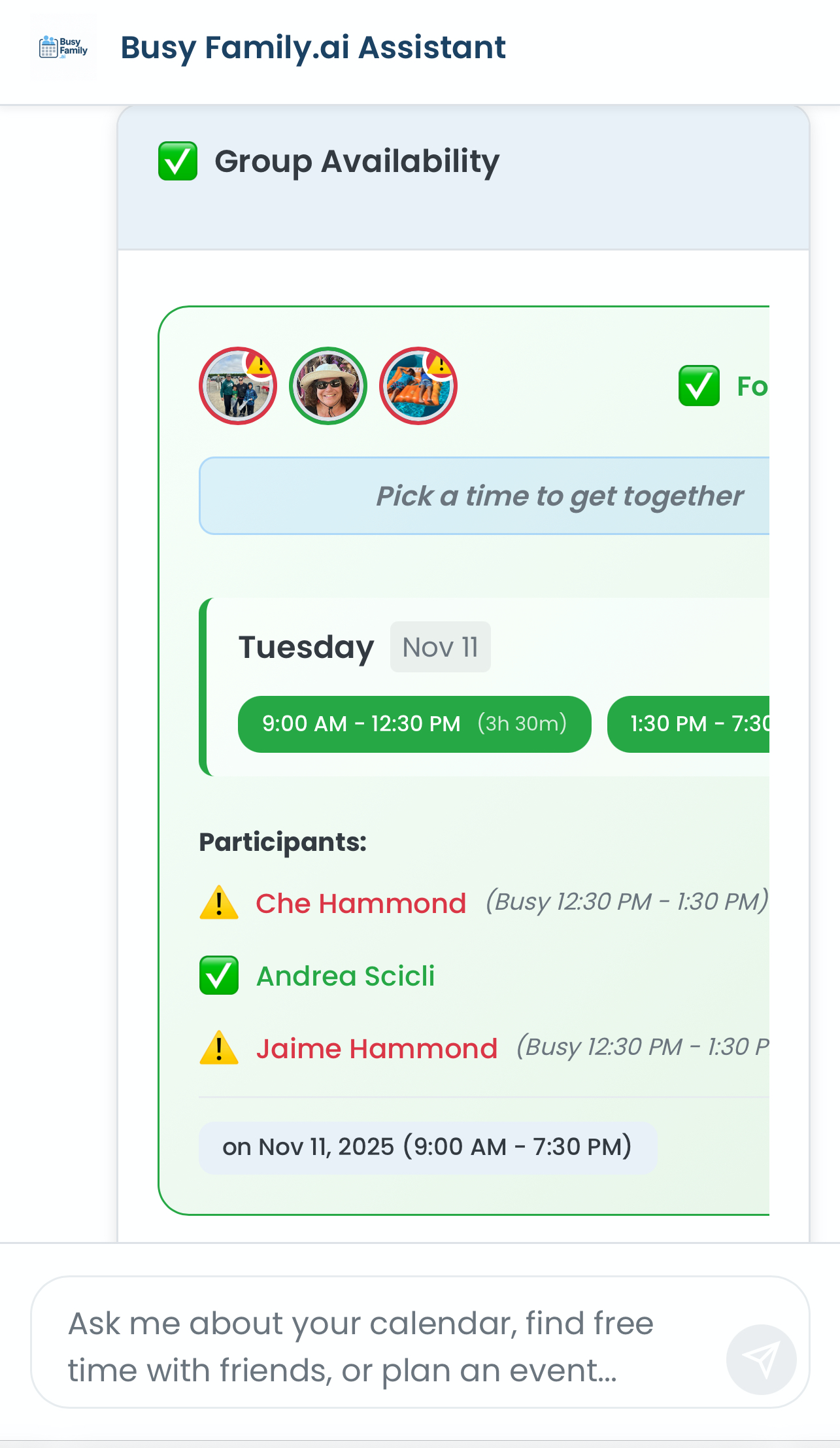
- Ask naturally: "When are Sam and I both free next weekend?"
- Get instant suggestions for times that work for everyone
- One quick approval and the assistant handles all the calendar invites
3. When Meal Planning Is Draining
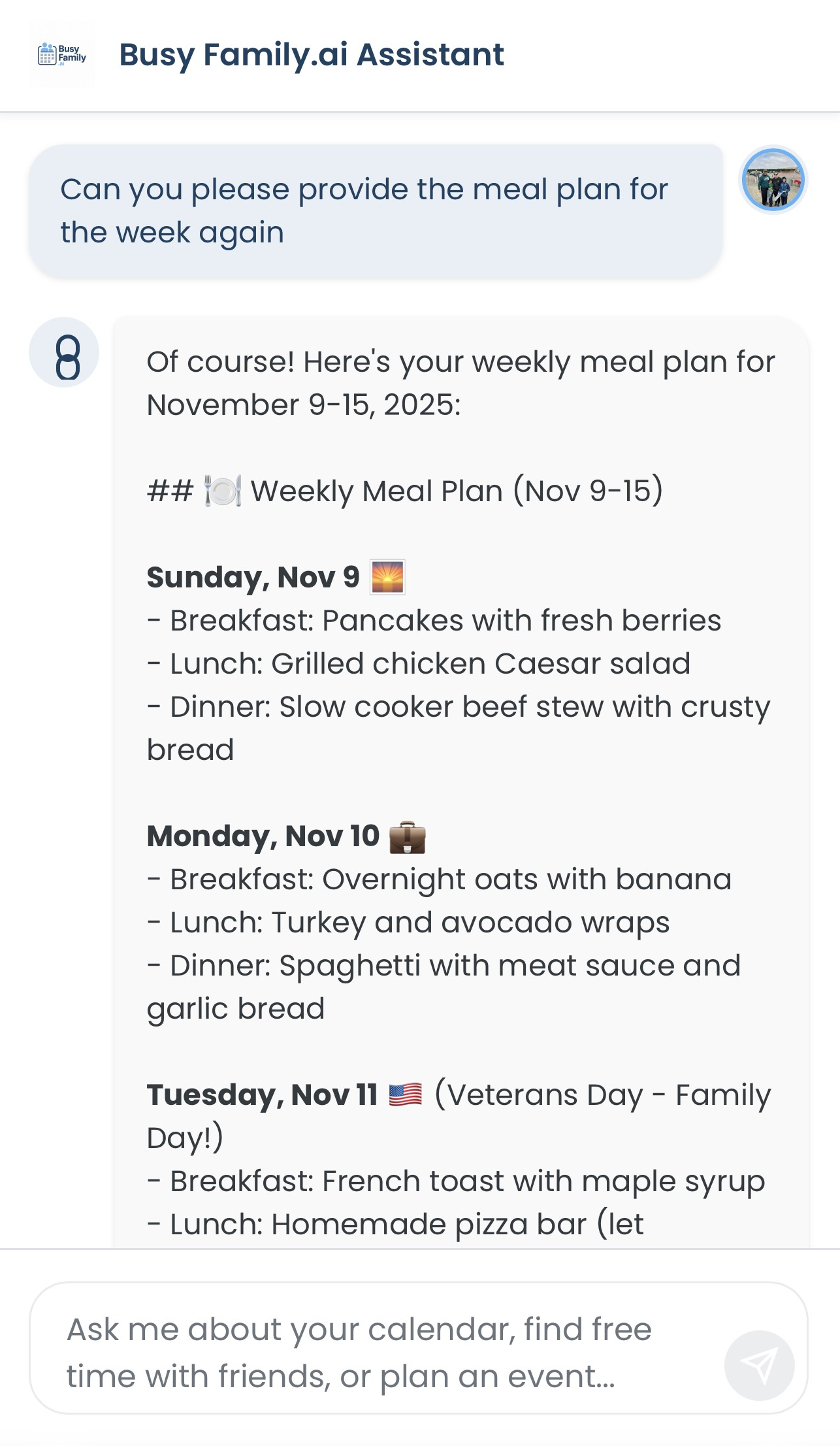
Problem: Dinner decisions feel overwhelming, especially with different dietary needs and busy schedules.
How your assistant makes it simple:
- Tell it once about your family's preferences and dietary needs
- Get quick, personalized meal ideas based on your pantry inventory
- Set up "Meal Plan Sunday" as a regular calendar event for stress-free planning
4. When School or Activity Details Keep Slipping
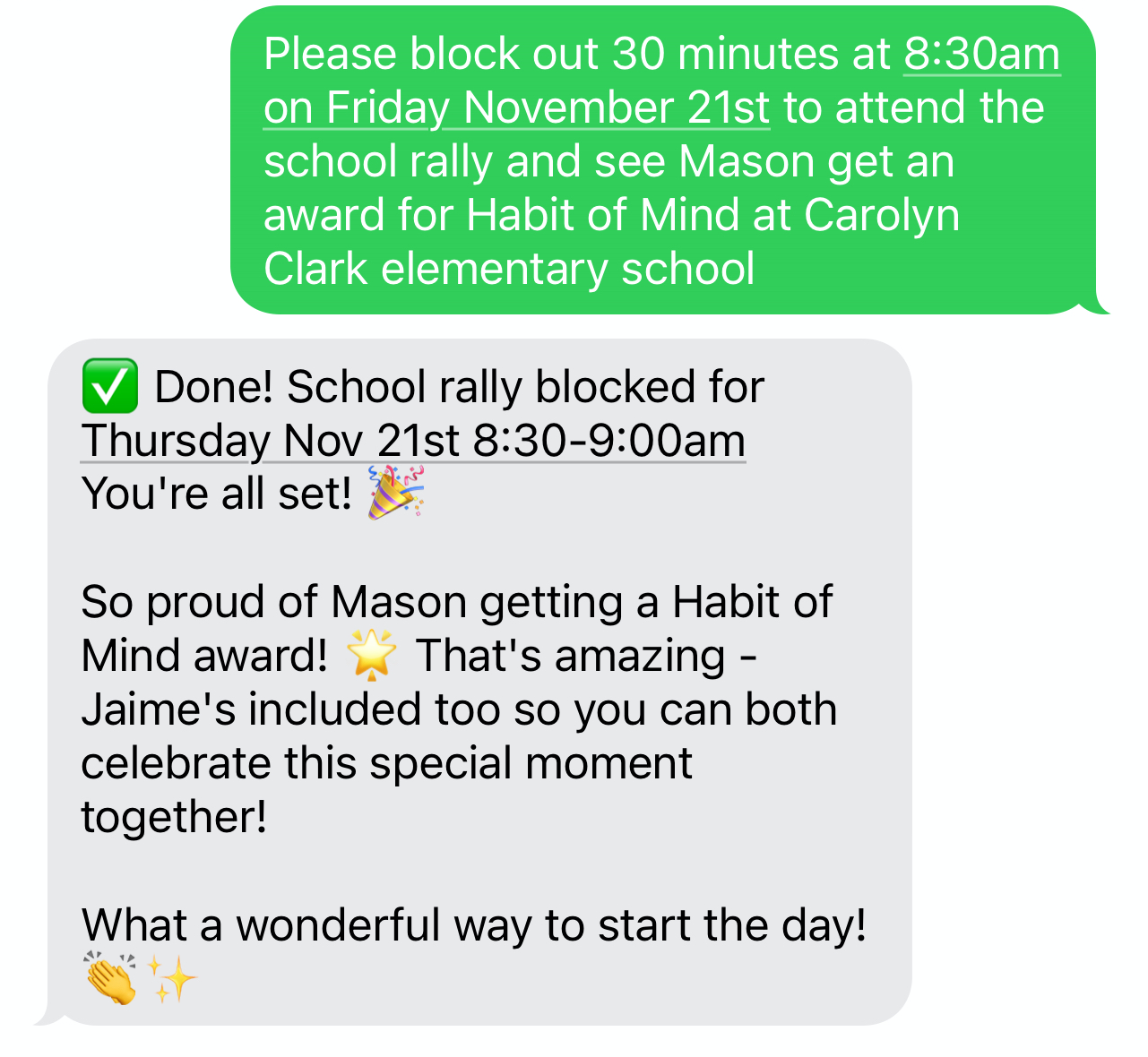
Problem: Keeping track of your family's various events and schedule changes can feel impossible.
How your assistant makes it simple:
- Use voice commands via Siri or Google Assist to send an SMS and capture details the moment you hear them
- The assistant automatically checks for conflicts and travel time
- Everything stays organized on your family calendar
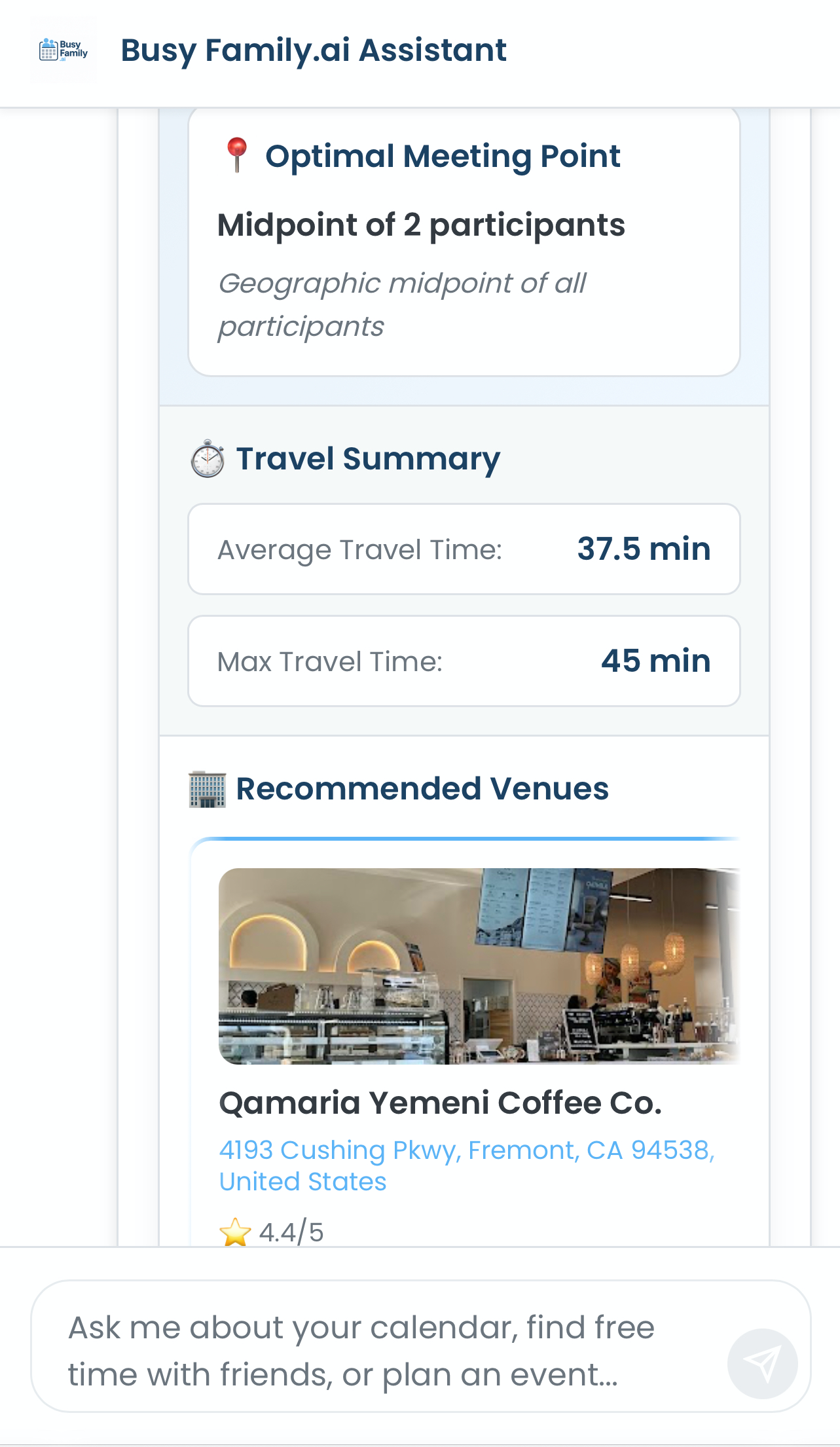
5. When You're Picking the Perfect Meet-up Spot
Problem: Finding a convenient meeting place that works for everyone can be tricky.
How your assistant makes it simple:
- Just ask: "Find a coffee spot that works for me and Alex this Friday at 10 AM"
- Get smart suggestions based on everyone's location and schedules
- Approve and go - with directions ready when you need them
---
We're always working to make your assistant even more helpful, with improvements coming to conversation summaries, location awareness, search capabilities, and task tracking. But the most important voice in shaping these features is yours! We'd love to hear what's working well, what could be better, and what new capabilities would make your family life easier. Share your thoughts at support@busyfamily.ai.
Ready to give it a try? Open a chat with your Busy Family assistant and start with any of these scenarios. We can't wait to help make your family's day-to-day just a little bit smoother.