
Just Say It: Talk to Your Assistant with Your Voice
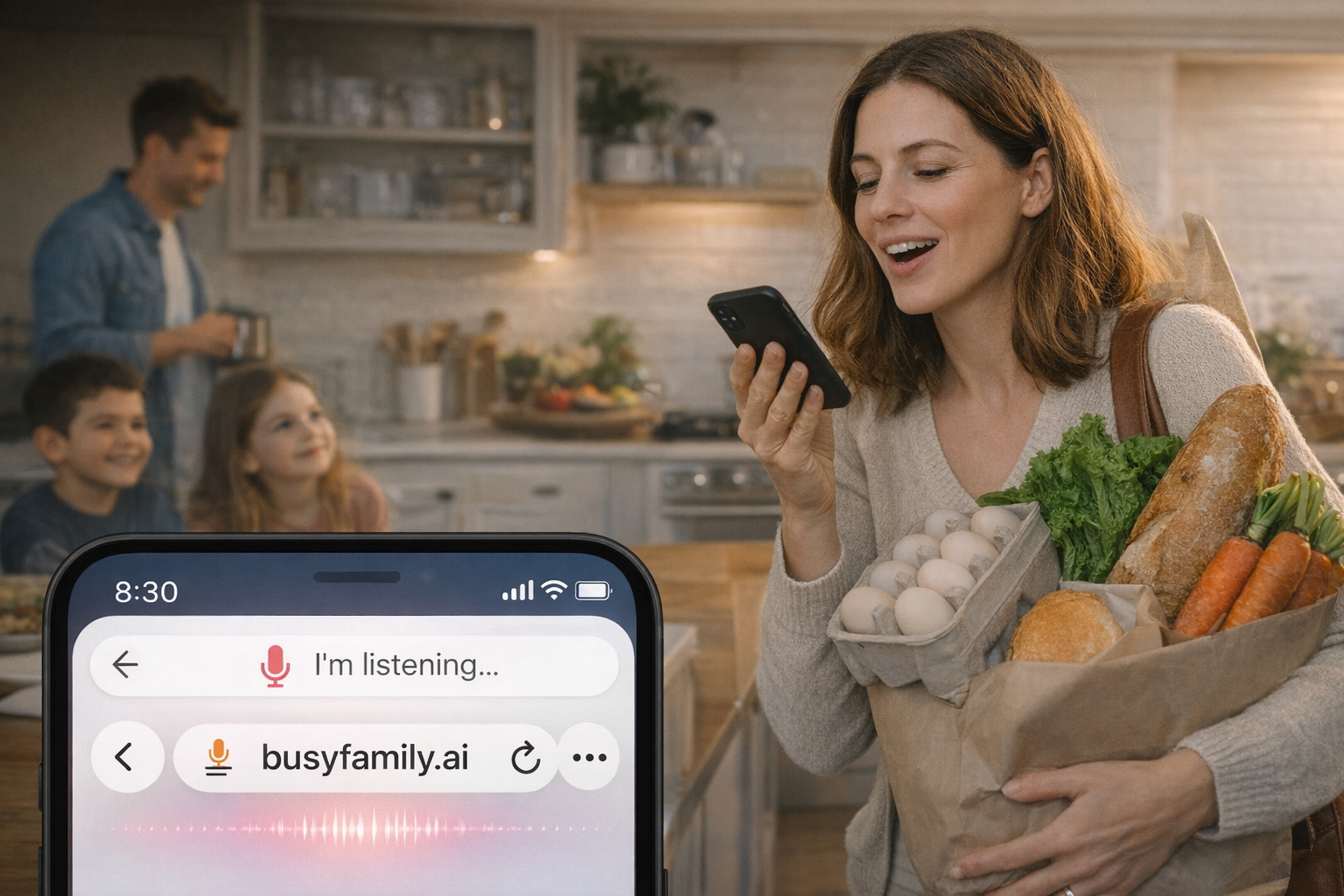
Sometimes the easiest way to get something done is to say it out loud. You know what you want—you just don't want to stop and type it. And let's be honest: typing isn't easy for everyone. On a phone, with one hand free, or when you're already doing three things at once, tapping out a message can feel like one step too many.
We get it. That's why we've added voice input to Busy Family. So you can speak what you need, and your assistant can help—without the friction.
1. Why Your Voice Matters
Voice changes that. It lowers the bar. You don't have to format a sentence in your head before you hit Send. You don't have to hunt for the right words on a keyboard. You just talk. And your assistant listens.
2. How to Use Voice in the App
Using your voice in the Busy Family assistant is simple.
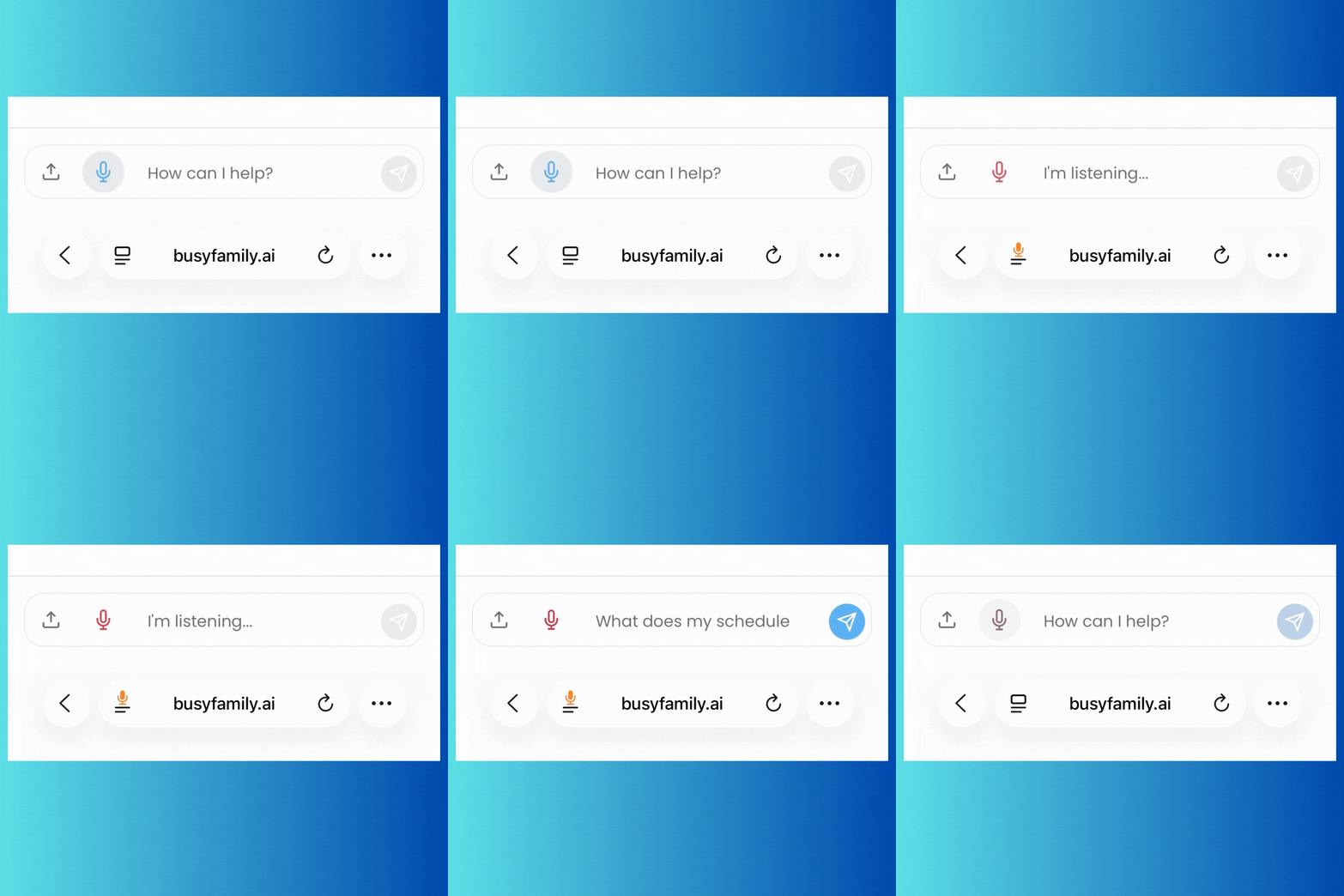
Next to the chat box, you'll see a microphone icon. Tap it. Wait until you see "I'm listening..."—that's your cue that the assistant is ready. Then say what you need. When you're done, your message is sent and the assistant replies, just like with a typed message.
That's it. No extra setup. No complicated steps. Tap the mic, wait for "I'm listening," and speak.
Pro tip: A quieter moment helps the assistant hear you clearly—but use it whenever it makes your life easier.
3. Voice on the Go: Siri and Google Assistant
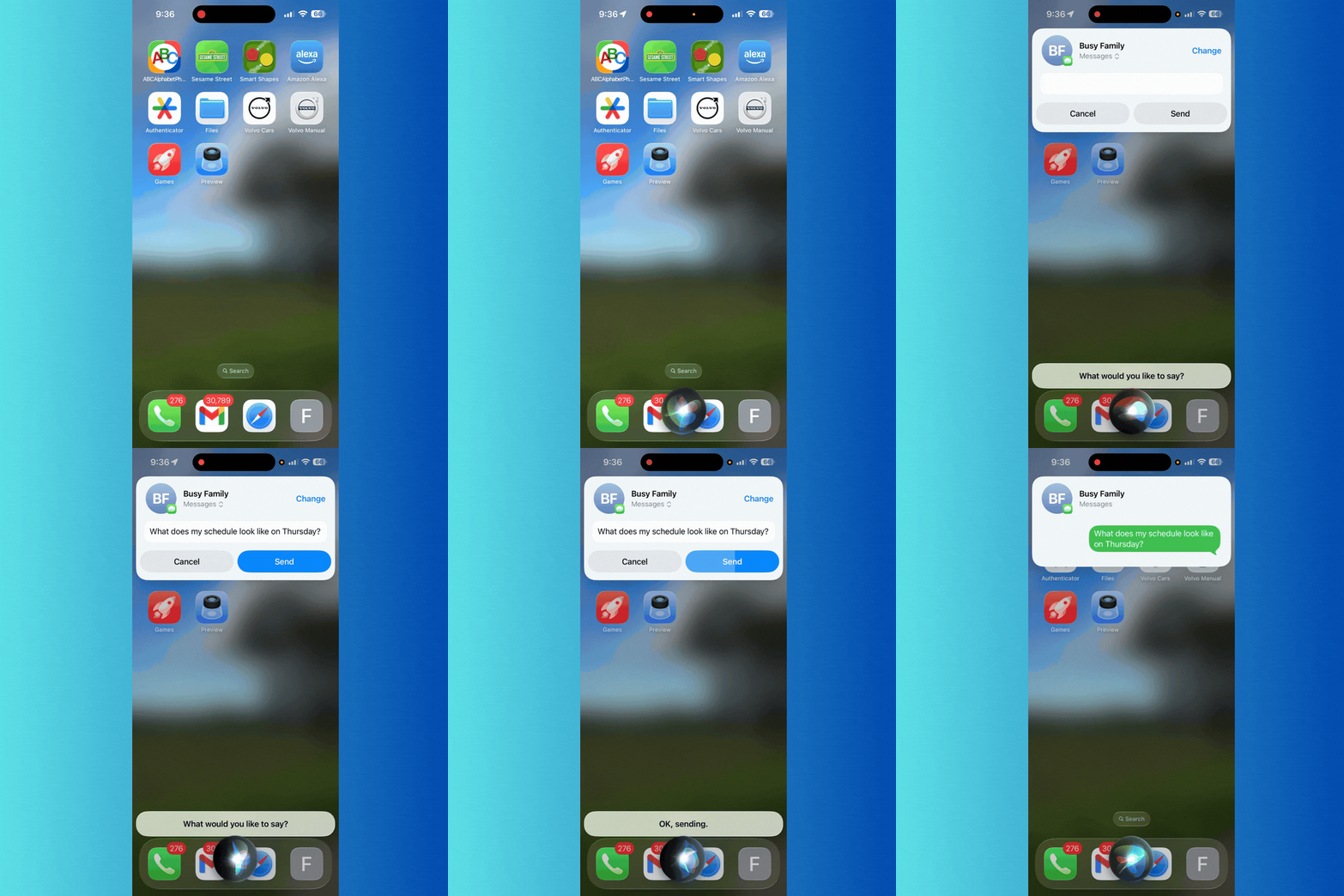
Save Busy Family as a contact so your phone assistant can quickly find it when voice dicating messages.
When you're on the move—especially in the car—typing isn't an option. But you can still stay in touch with your assistant.
Use Siri (iPhone) or Google Assistant (Android) to send a text to your Busy Family number. Just say something like "Text Busy Family—what's on my calendar tomorrow?" or "Text Busy Family—add soccer practice Tuesday at 4." Your phone turns your words into a message and sends it. The assistant replies by text—and your phone can read that reply aloud. So you can ask and hear the answer without ever touching the screen.
That makes it possible to check your schedule, add an event, or get a quick answer while you're driving, walking, or have your hands full. Your voice gets you there.
4. What's Next—and Why We Care
Voice is one of the best ways we know to lower friction. It meets you where you are: when typing is a hassle, when you're busy, or when speaking simply feels more natural.
We're not stopping here. Full back-and-forth voice conversation—where you talk and the assistant talks back in real time—is something we're working toward. In the meantime, you already have voice output in places that help every day: your Daily Brief and Recipes can be read aloud so you can listen while you're getting ready or cooking. (If you haven't tried that yet, check out Listen While You Live for the full picture.)
Most of all, we want you to know that your voice matters to us. We built voice input because we want it to be easy for you to use yours. However you prefer to interact—by typing, by speaking in the app, or by dictating a text on the go—we're here for it.